

Saving an uploaded file
If you've ever wanted to save a file you've uploaded into document storage, here's how you do it:
- Upload an image or document from your device into Eziyah.
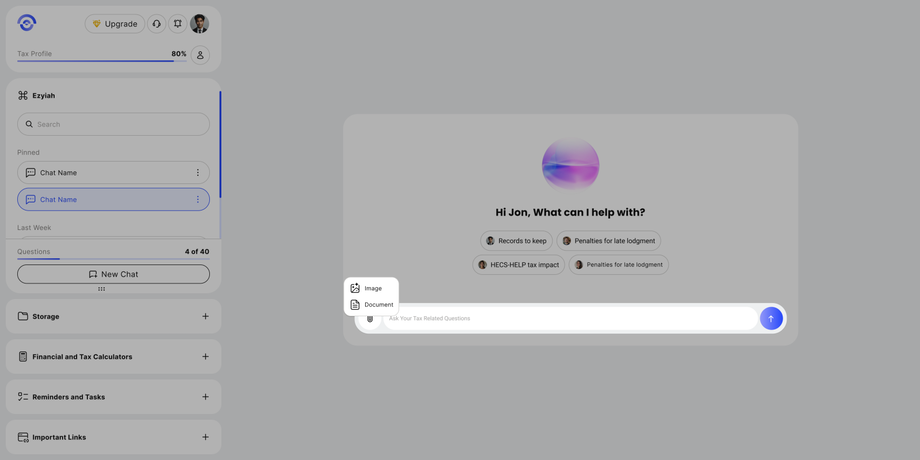
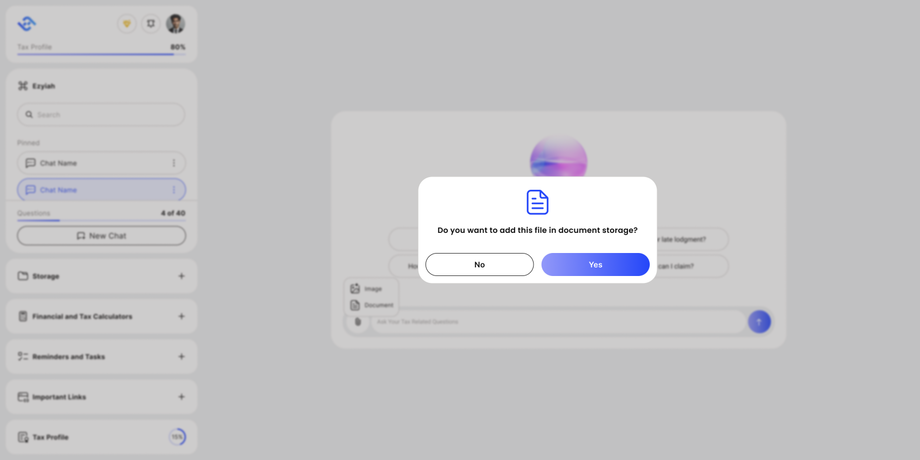
- Then once it's uploaded you'll get a popup saying if you'd like to add the file into your document storage, click yes.
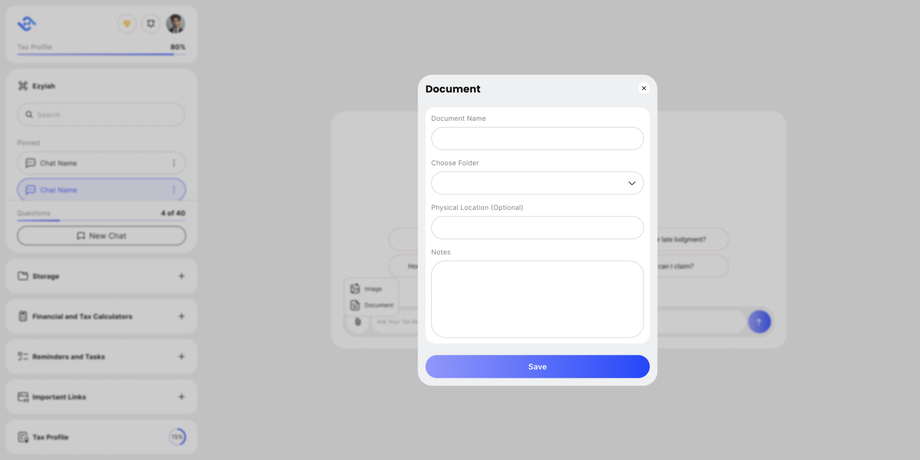
- Finally, you'll get prompted to enter a document name along with options to save it within a specific folder and adding notes.


That's all it takes to save an uploaded file from the chatbot to your document storage!