You can cancel your plan yourself, in Ezyiah, from Manage Subscription.
Before you cancel, check Transaction Credits Remaining and your Next Billing date, so you know what you’ve already paid for.

Step by step

1

Open Manage Subscription

Click your avatar, then Settings, then Manage Subscription. Your Subscription shows your plan and Next Billing date.
2

Open the menu on your current plan
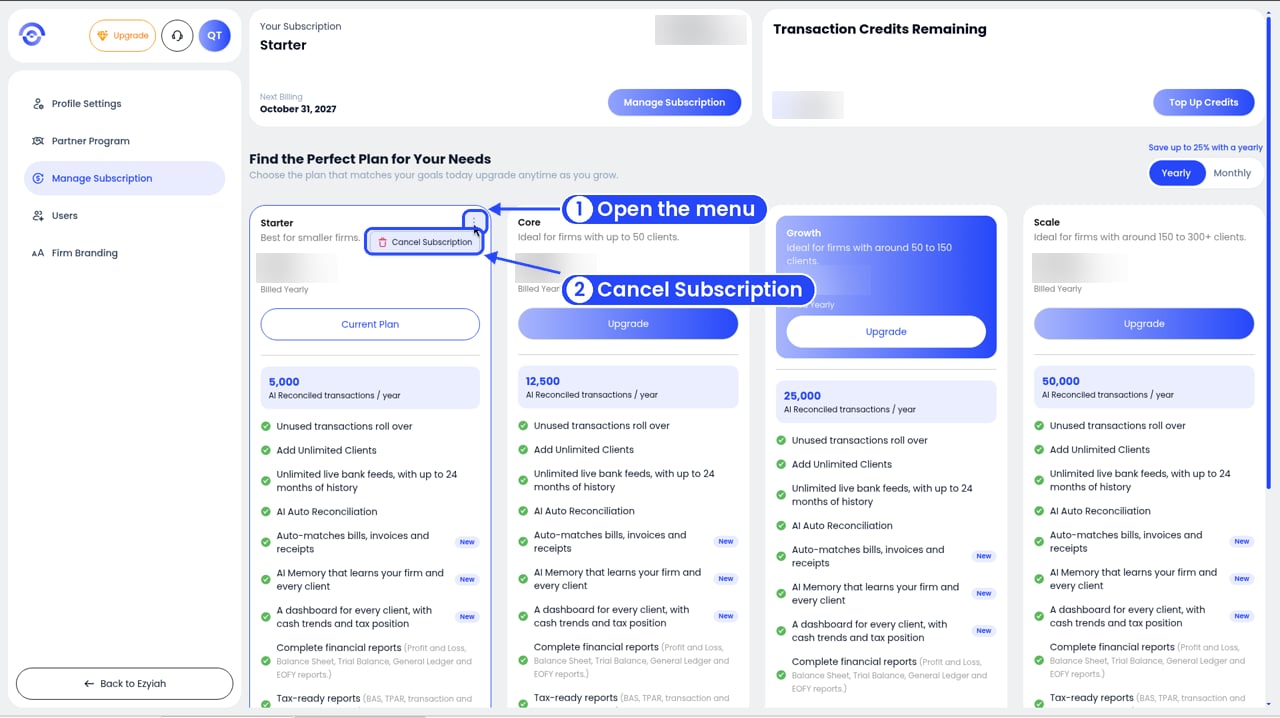
Manage Subscription with numbered callouts on the three dots of the current plan card and the Cancel Subscription option

The menu on your current plan

Your current plan is the card marked Current Plan. Click the three dots at its top right, then click Cancel Subscription. Nothing is cancelled yet.
3

Choose a reason and confirm

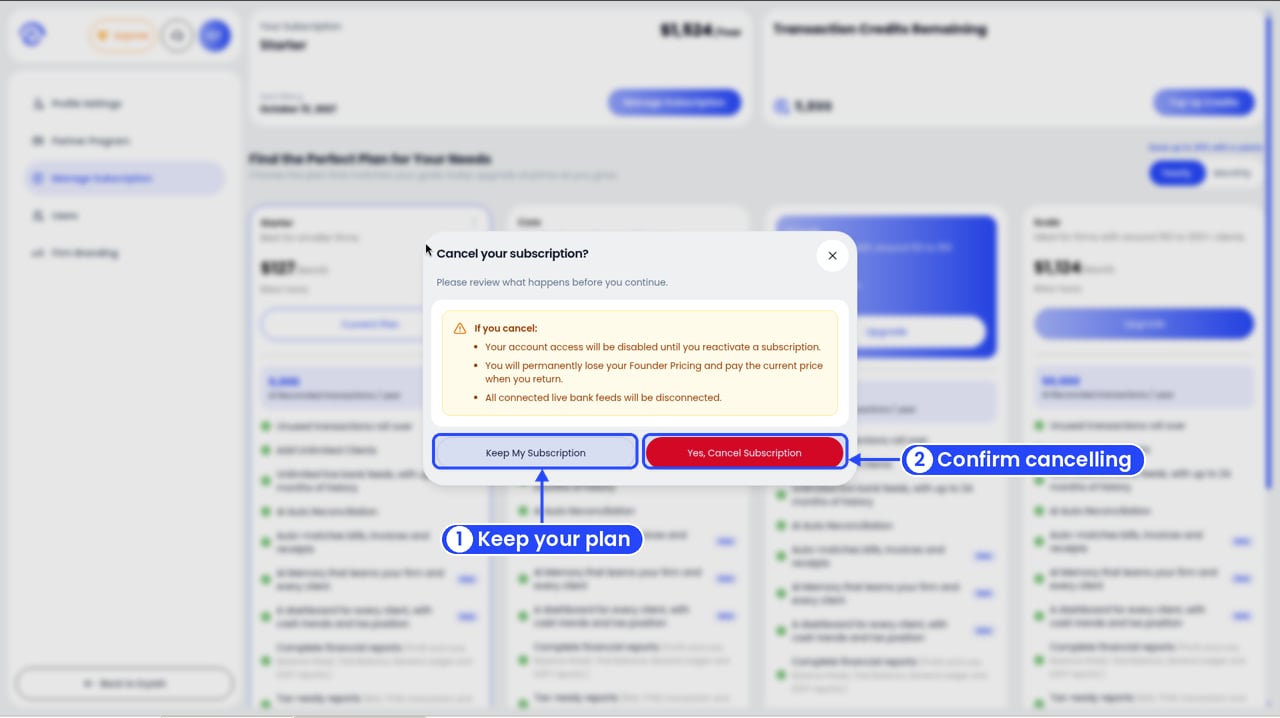
The Cancel your subscription window with numbered callouts on Keep My Subscription and Yes, Cancel Subscription

Confirm or keep your subscription

Pick the reason closest to yours, then click Cancel Subscription. Changed your mind? Click Keep Subscription.

What happens next

  • You keep access until the end of your billing period. Use Ezyiah as normal until your Next Billing date.
  • Then your account is frozen. Nothing is deleted. All your data stays, including your clients, transactions and reports, and you keep any unused credits.
Example: your plan renews on 15 December. You cancel on 1 December. You can keep working until 15 December. After that the account is frozen, with everything still in it.

Before you cancel, try this

  • Switch to yearly. Yearly billing costs less. See ezyiah.com.au/pricing.
  • Move to a smaller plan. All plans include unlimited clients and live bank feeds. They differ in transactions, seats and extras.
  • Top up instead. Only need more transactions this month? Click Top Up Credits.
Before you move to a smaller plan, check what it includes. For example, Custom Firm Branding isn’t on Core. See Managing your subscription.
Moving to a smaller plan removes any extra team seats. If people in your firm use those seats, they lose access. Check Users first.

Coming back

Go back to Manage Subscription and pick a plan. Once you’ve subscribed again, everything is where you left it, including your clients, data and credits.