

Open Ezy Actions
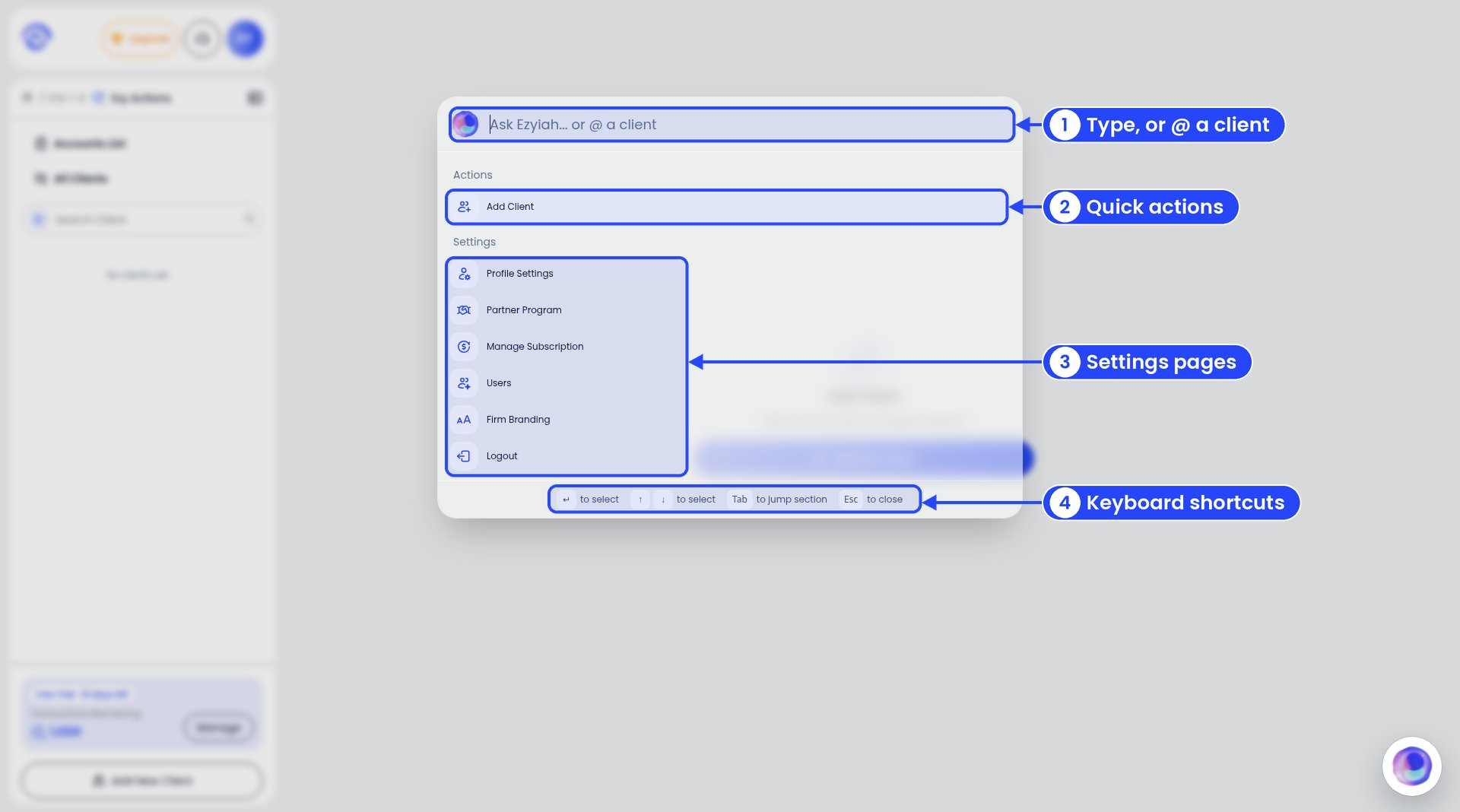
Ezy Actions on a firm account
- Search box. Type a word, or type @ and a client’s name.
- Actions. Things you can do right now, like Add Client.
- Settings. Jump to Profile Settings, Partner Program, Manage Subscription, Users or Firm Branding, or Logout.
- Keyboard hints. Use the arrow keys to move, Enter to pick, Tab to jump to the next section and Esc to close.
Jump to a client
Type @ and then the client’s name, for example @Harbourside Plumbing. Pick the client. You’ll see every part of their file, like Basic Info, Opening Balance, Chart of Accounts and Banks. Pick one to go straight there.Do something for a client
Once you’ve picked a client, the Actions list changes. You’ll see things like Add Bank, Add Loan, Add Asset, Add Opening Balance and Add Journal. Pick one and the form opens. Example: type @Harbourside Plumbing, then pick Add Loan. The Add Loan form opens for that client. No clicking through menus.On a business account
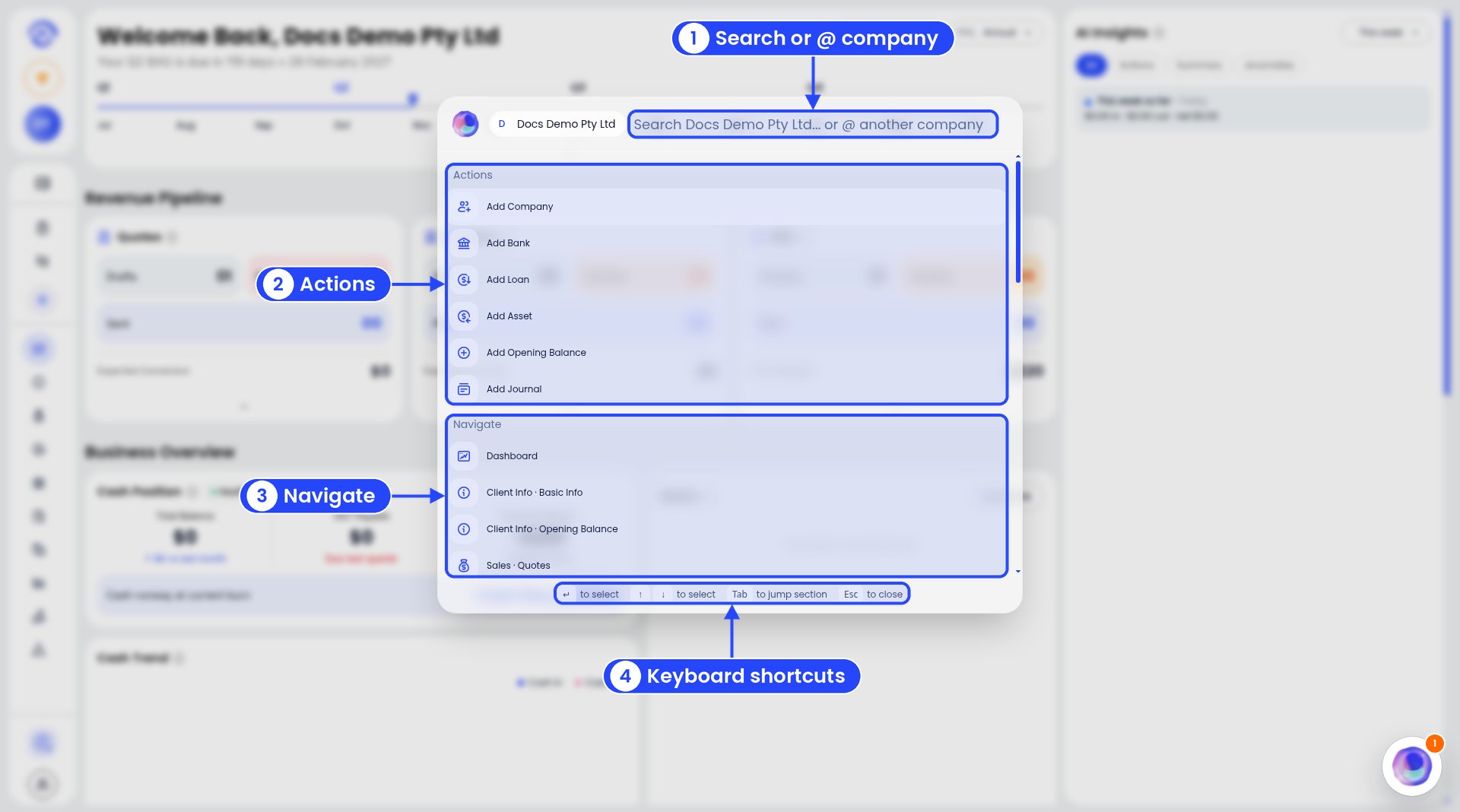
Ezy Actions on a business account
- Search box. Type a word, or type @ and the name of another of your businesses to switch.
- Actions. Add Company, Add Bank, Add Loan, Add Asset, Add Opening Balance and Add Journal.
- Navigate. Jump to any page, like Dashboard or Client Info · Basic Info.
- Keyboard hints. The same keys as above.