

Open the Assistant
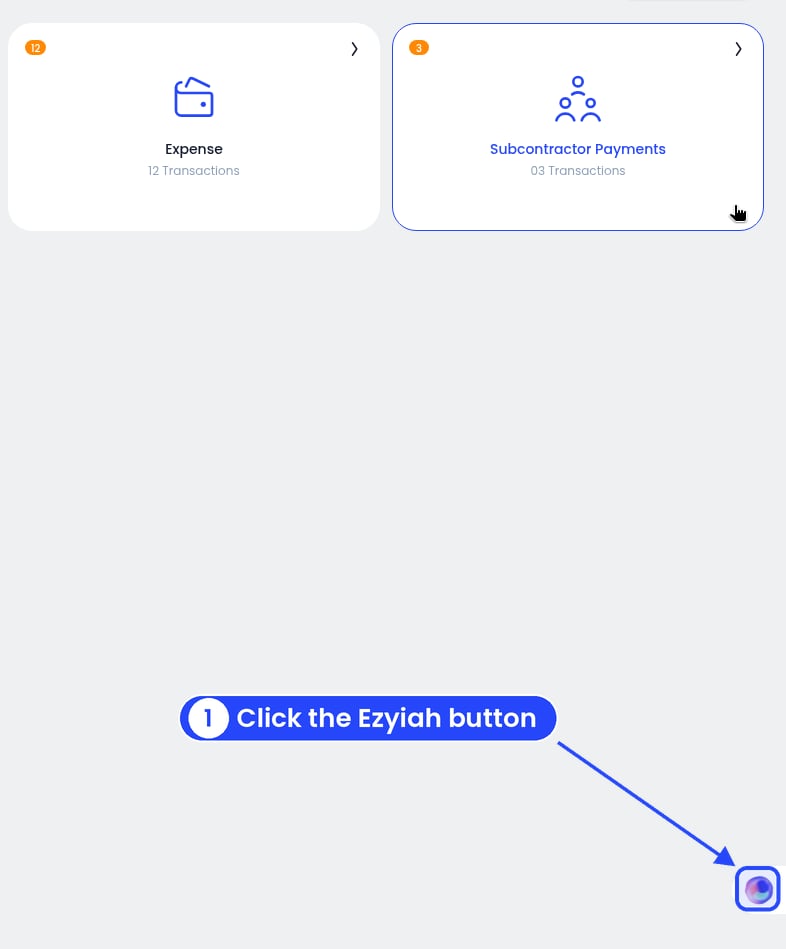
The round Ezyiah button is in the bottom right corner
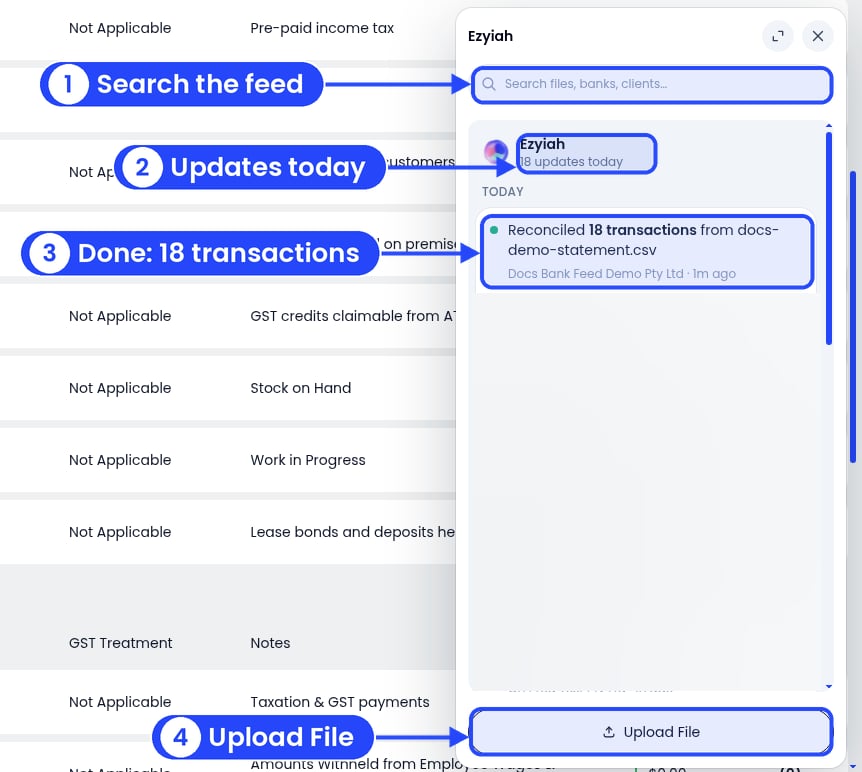
The Assistant panel after a statement finished reconciling
Upload a statement
1
Click Upload File
It’s at the bottom of the Assistant panel (see the picture above). The Select Bank window opens.
2
Pick the bank account
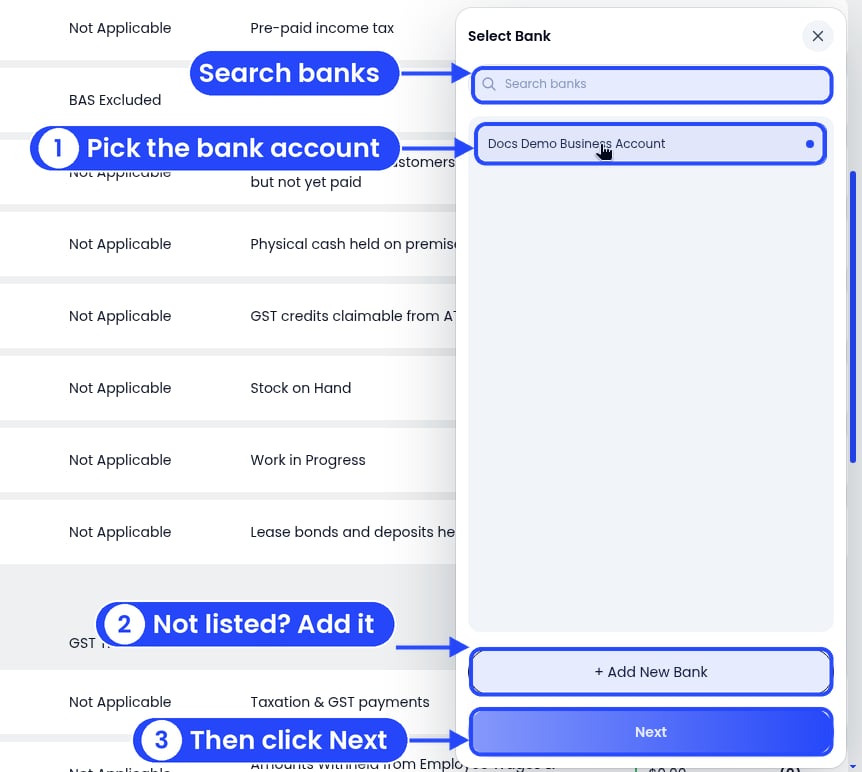
Pick the bank account, then click Next
3
Not listed? Add the bank
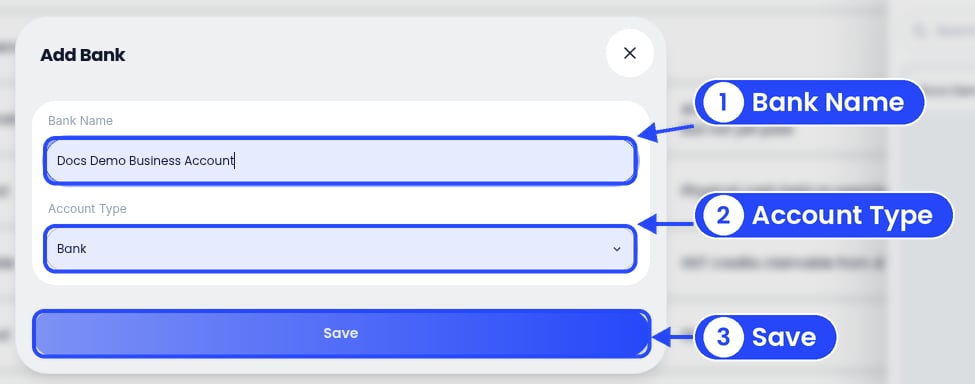
Add Bank: type a name, check the type, then click Save
4
Add your files
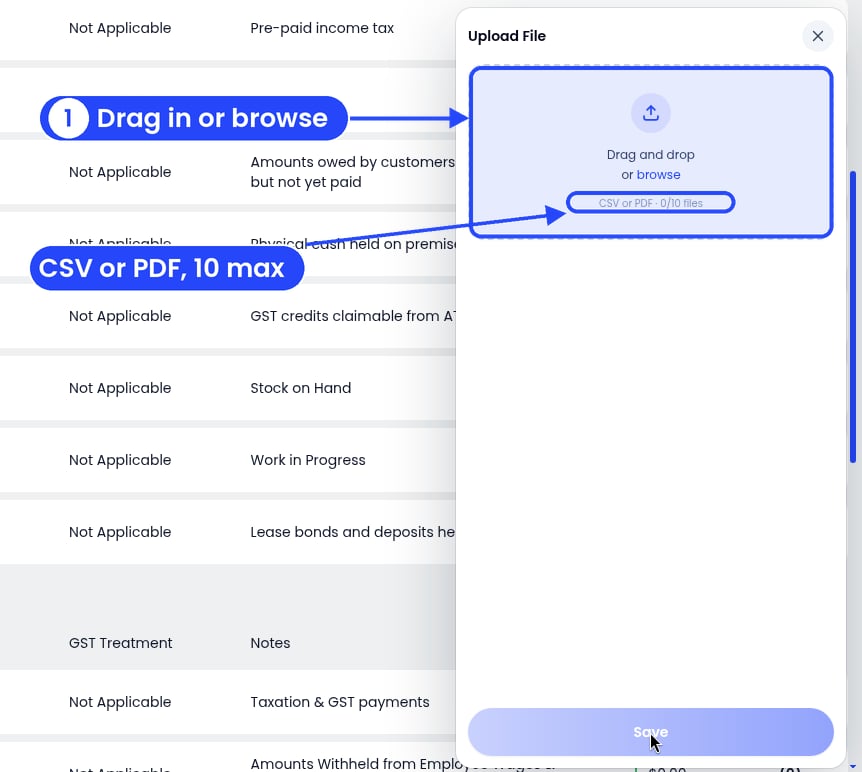
Drag your files in, or click browse
5
Click Save
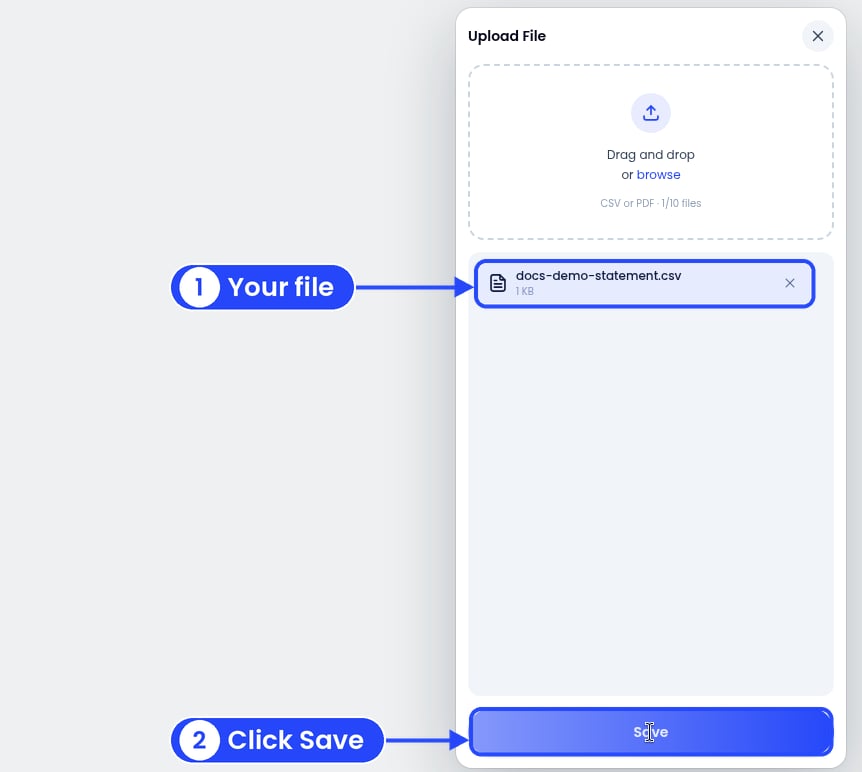
Your files are listed. Click Save
6
Watch it work
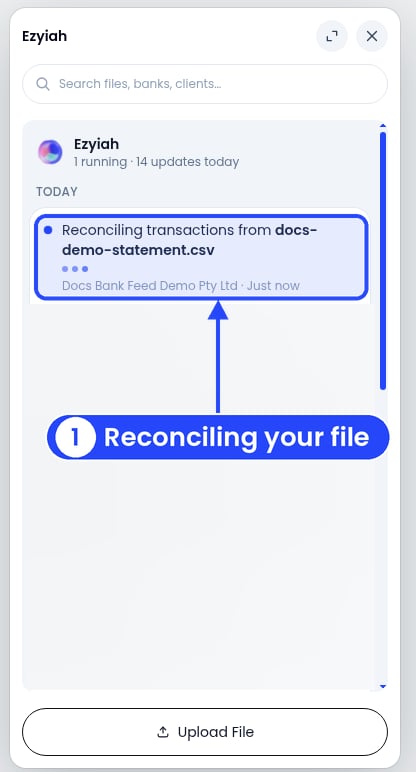
The Assistant shows the file reconciling