

Open Firm Branding
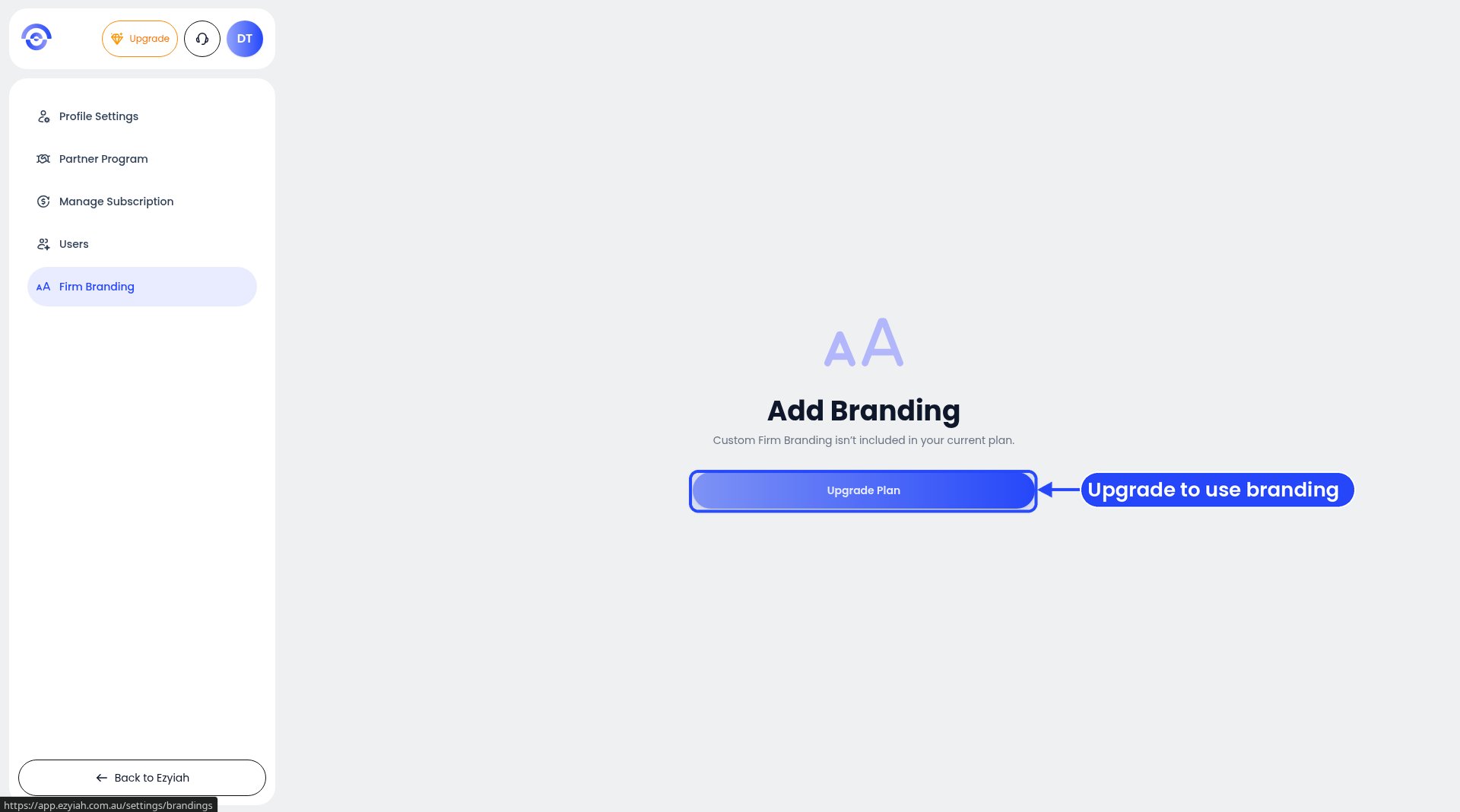
Firm Branding when your plan doesn't include it
Add your branding
1
Open Firm Branding
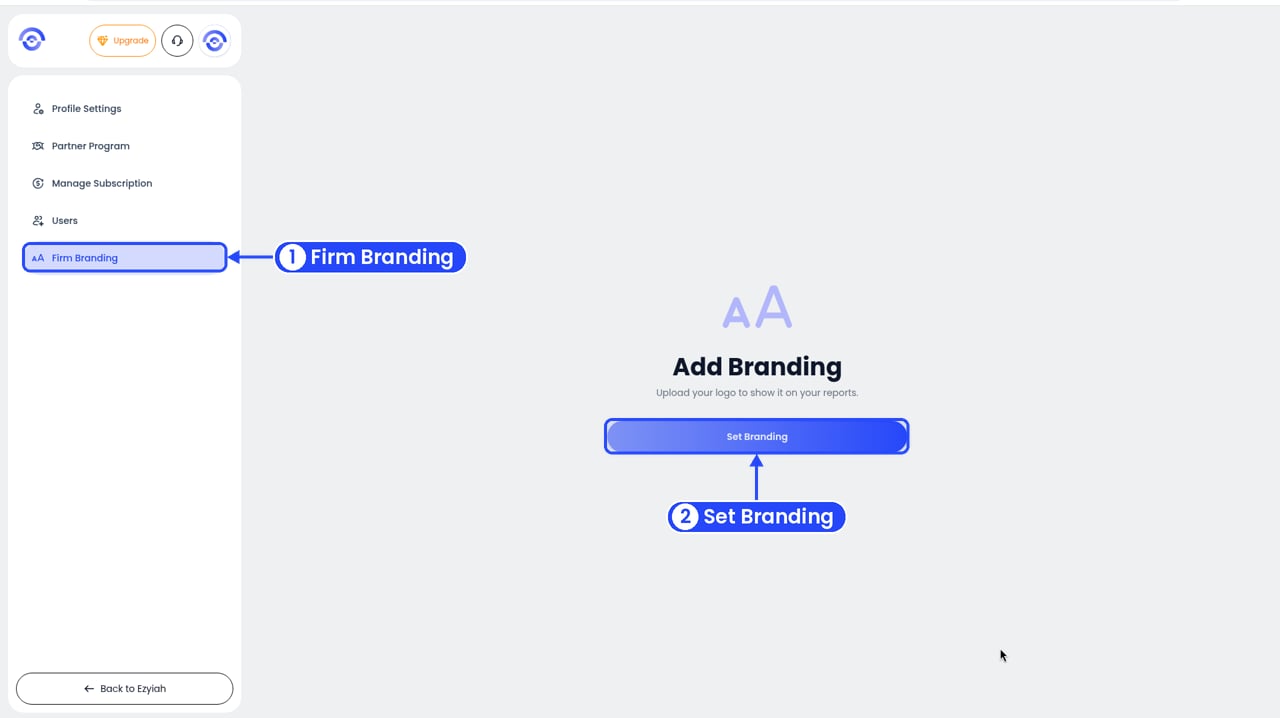
1 Open Firm Branding, 2 then click Set Branding
2
Click Set Branding
The Branding window opens.
3
Add your logo
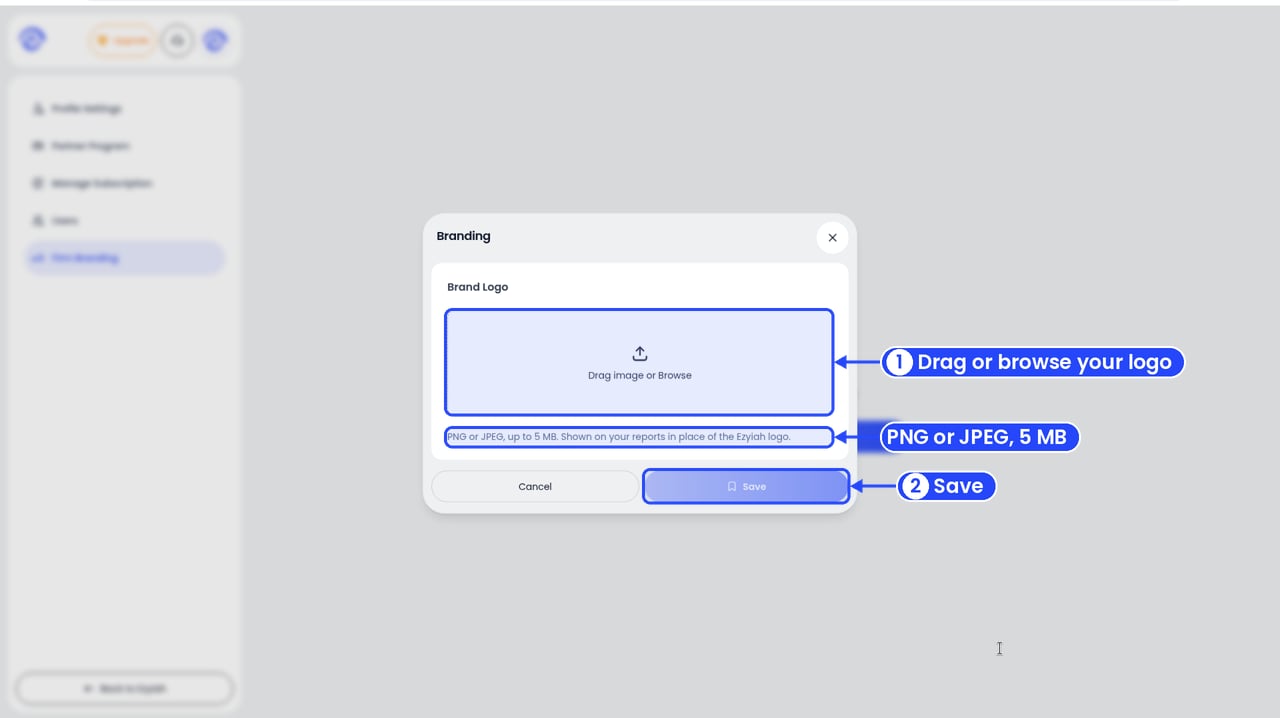
Add your logo, then click Save
4
Click Save
Save lights up once you’ve added a logo. Changed your mind? Click Cancel.
Where your logo shows
Your logo shows on your reports in place of the Ezyiah logo. On screen, that’s the top right of the report card, above the Company Name.This is your firm’s branding. A client’s own logo goes in their Basic Info. See Editing a client’s details.