

This is not the same as a bank feed request. A bank feed request only asks the client to share their bank data. See Live bank feeds.To add people from your own firm, see Users instead.
Before you invite
- Add the client first.
- Check their email address in Basic Info. Ezyiah fills it in for you on the invite.
Send the invite
1
Open All Clients
Click All Clients in the sidebar.
2
Click Invite to Ezyiah
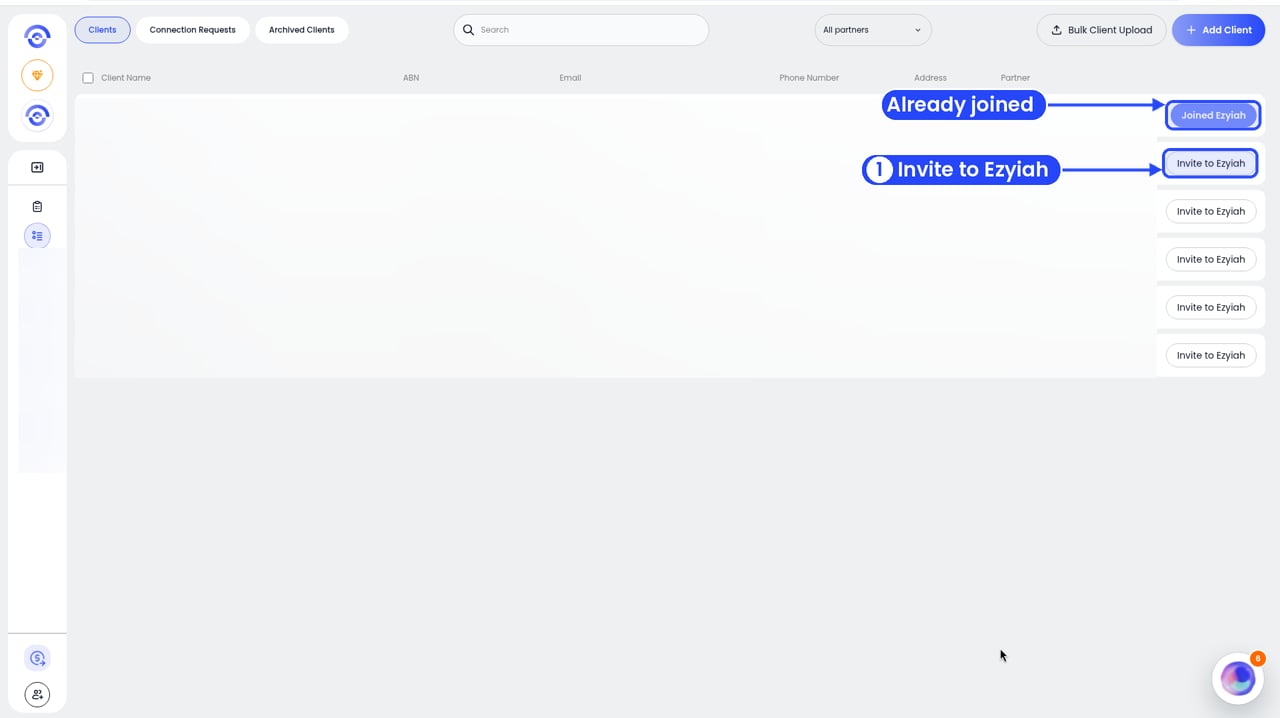
Click Invite to Ezyiah on the client's row
3
Enter their email and send
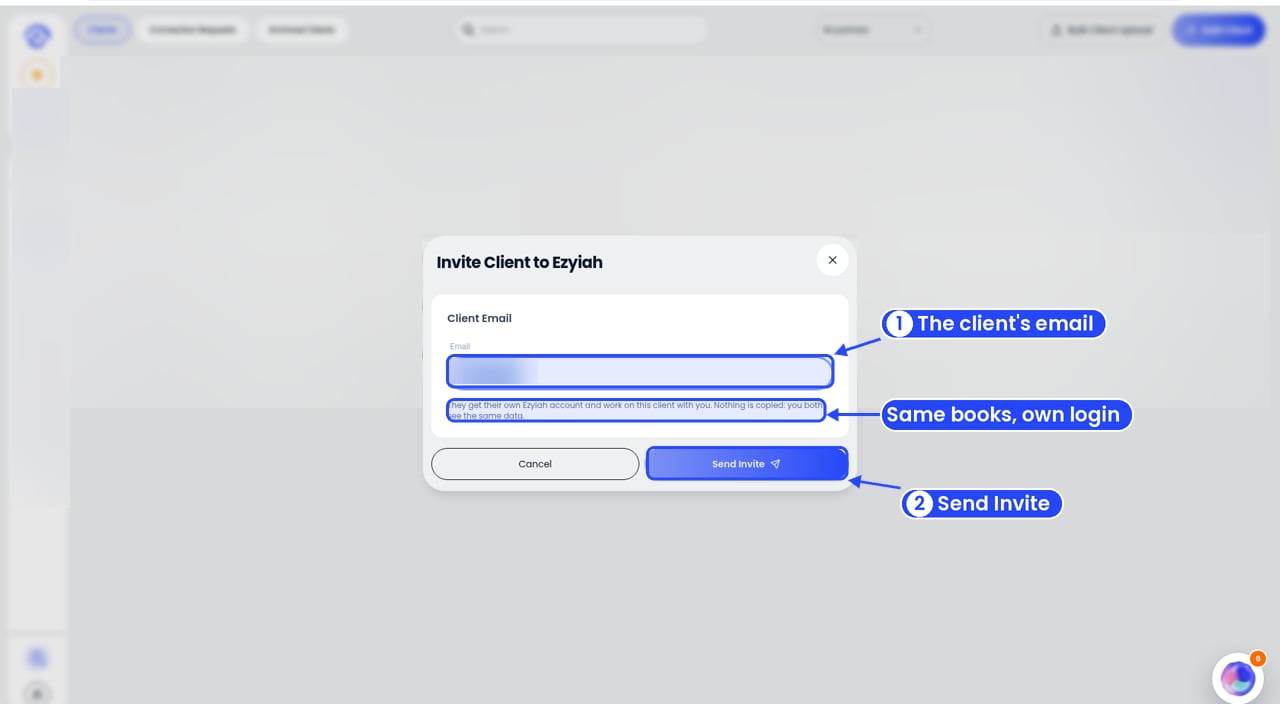
Check the email, then click Send Invite