

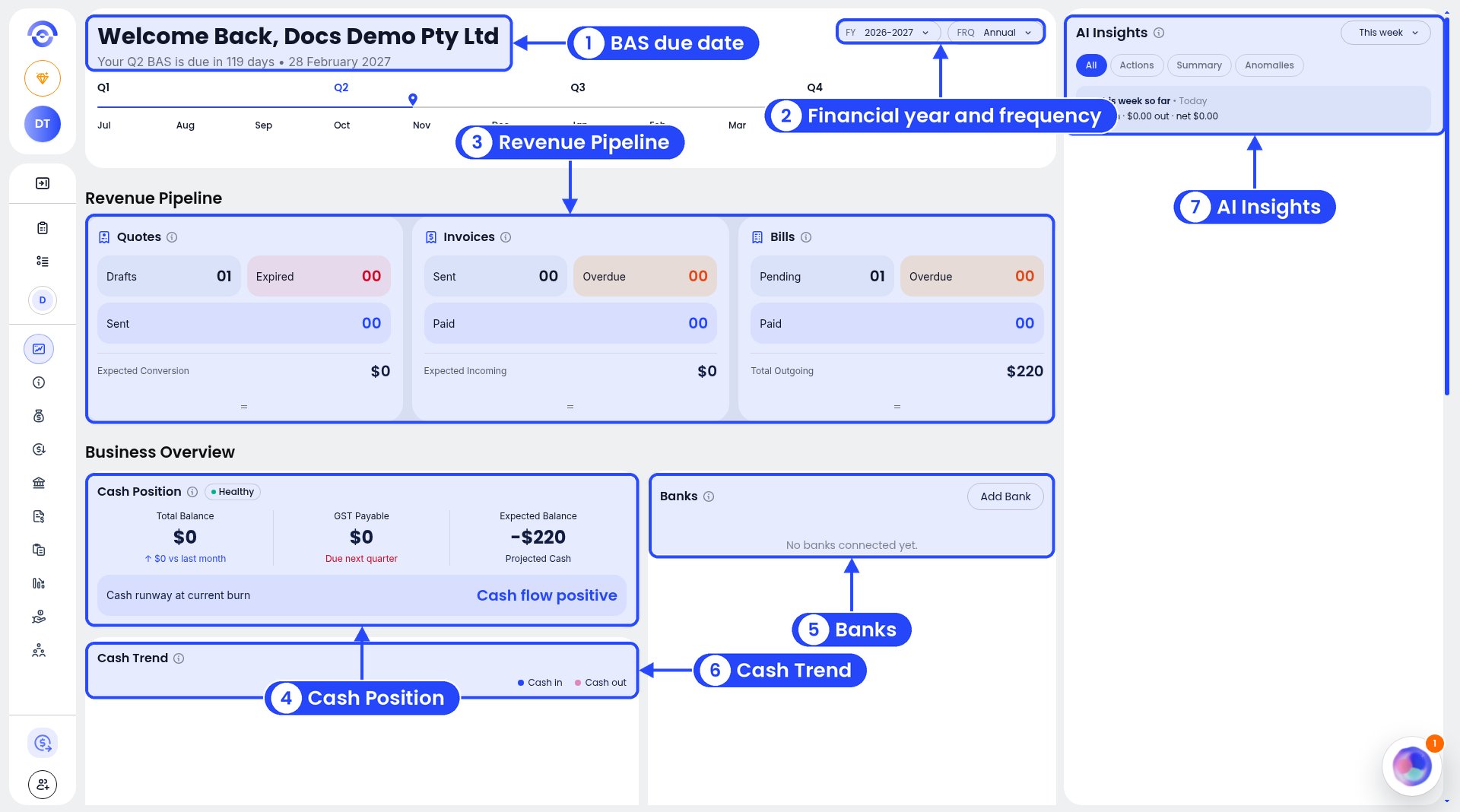
The top of the dashboard
What’s on it
- BAS due date. Under “Welcome Back” you’ll see when your next BAS is due, for example “Your Q2 BAS is due in 119 days”. The timeline shows the four quarters, July to June.
- Financial year and frequency. Use the FY and FRQ dropdowns to change the year and how the figures are grouped.
- Revenue Pipeline. Three cards:
- Quotes: Drafts, Expired and Sent, plus Expected Conversion.
- Invoices: Sent, Overdue and Paid, plus Expected Incoming.
- Bills: Pending, Overdue and Paid, plus Total Outgoing.
- Cash Position. Your Total Balance, the GST Payable that’s due next quarter, and your Expected Balance (projected cash). It also shows your cash runway, or “Cash flow positive”. A badge such as Healthy gives you a quick read.
- Banks. Your bank accounts and balances. Click Add Bank to connect one.
- Cash Trend. Cash in and cash out over time.
- AI Insights. Things Ezyiah notices in your numbers. Pick a period (for example This week) and a tab: All, Actions, Summary or Anomalies.
Lower down the dashboard
Scroll down past Cash Trend to see three more cards.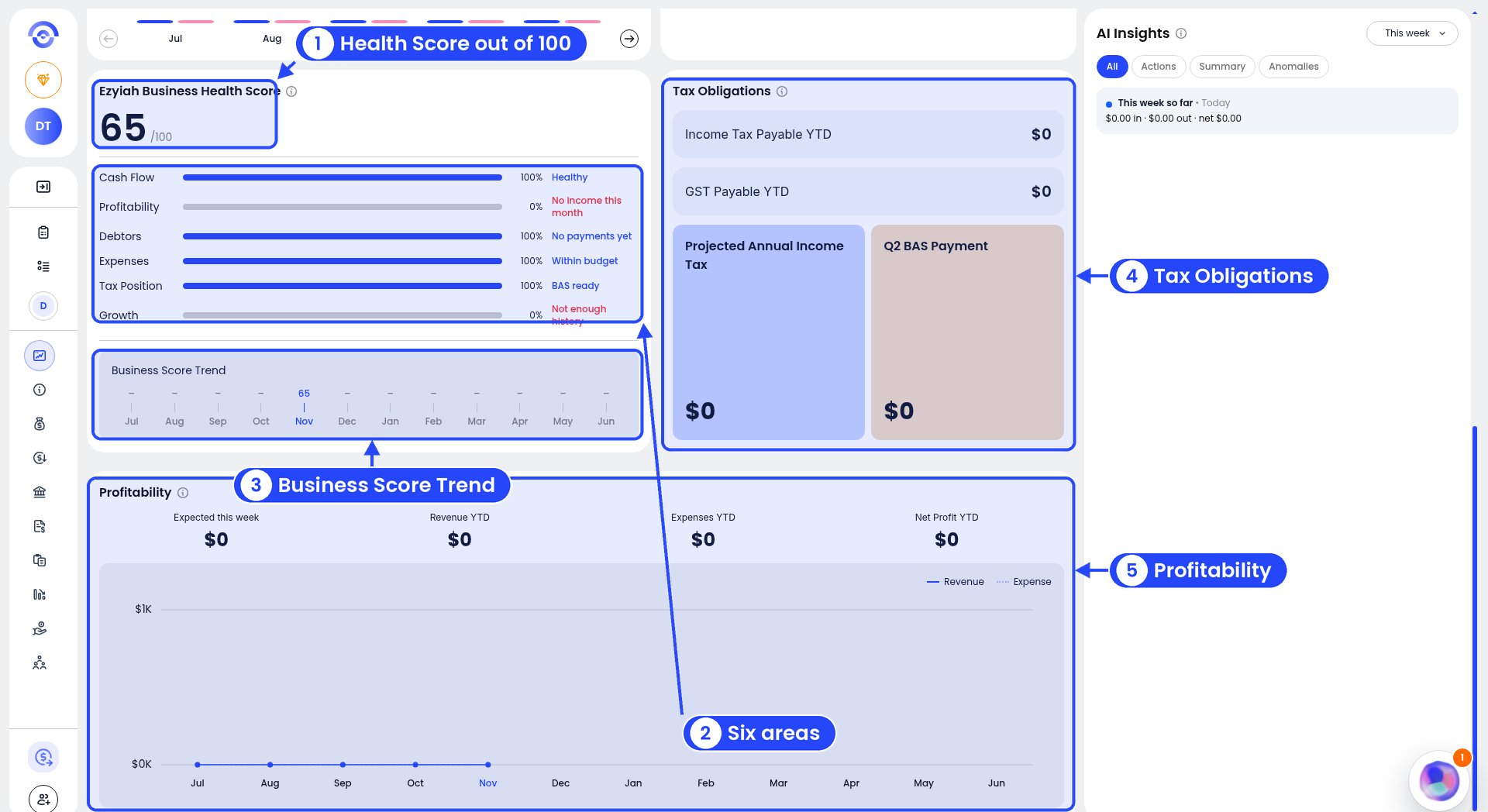
The lower part of the dashboard
- Ezyiah Business Health Score. A score out of 100 for this month, for example 80 /100 (13 pts down this month), with how many points it moved since last month. A note such as Why your score dropped explains what moved it, for example “Income dropped by $1980.00 vs last month”.
- The six areas behind the score. Cash Flow, Profitability, Debtors, Expenses, Tax Position and Growth. Each has a bar, a percentage and a short note, such as Healthy, No payments yet, BAS ready or Not enough history.
- Business Score Trend. Your score month by month, July to June.
- Tax Obligations. Income Tax Payable YTD, GST Payable YTD, Projected Annual Income Tax and your next BAS payment (for example Q2 BAS Payment).
- Profitability. Expected this week, Revenue YTD, Expenses YTD and Net Profit YTD, with a chart of revenue and expenses by month.
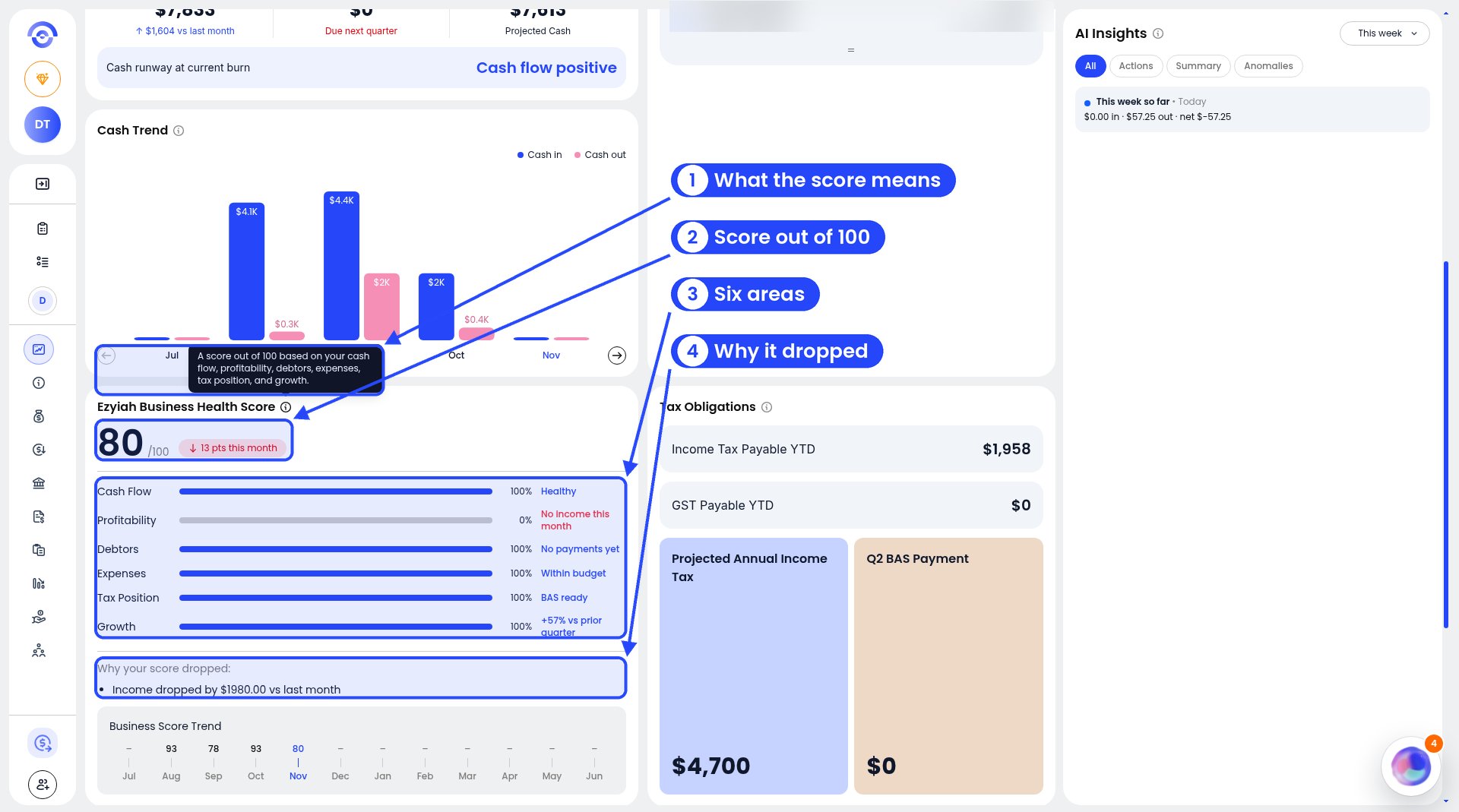
What the Health Score is based on
AI Insights
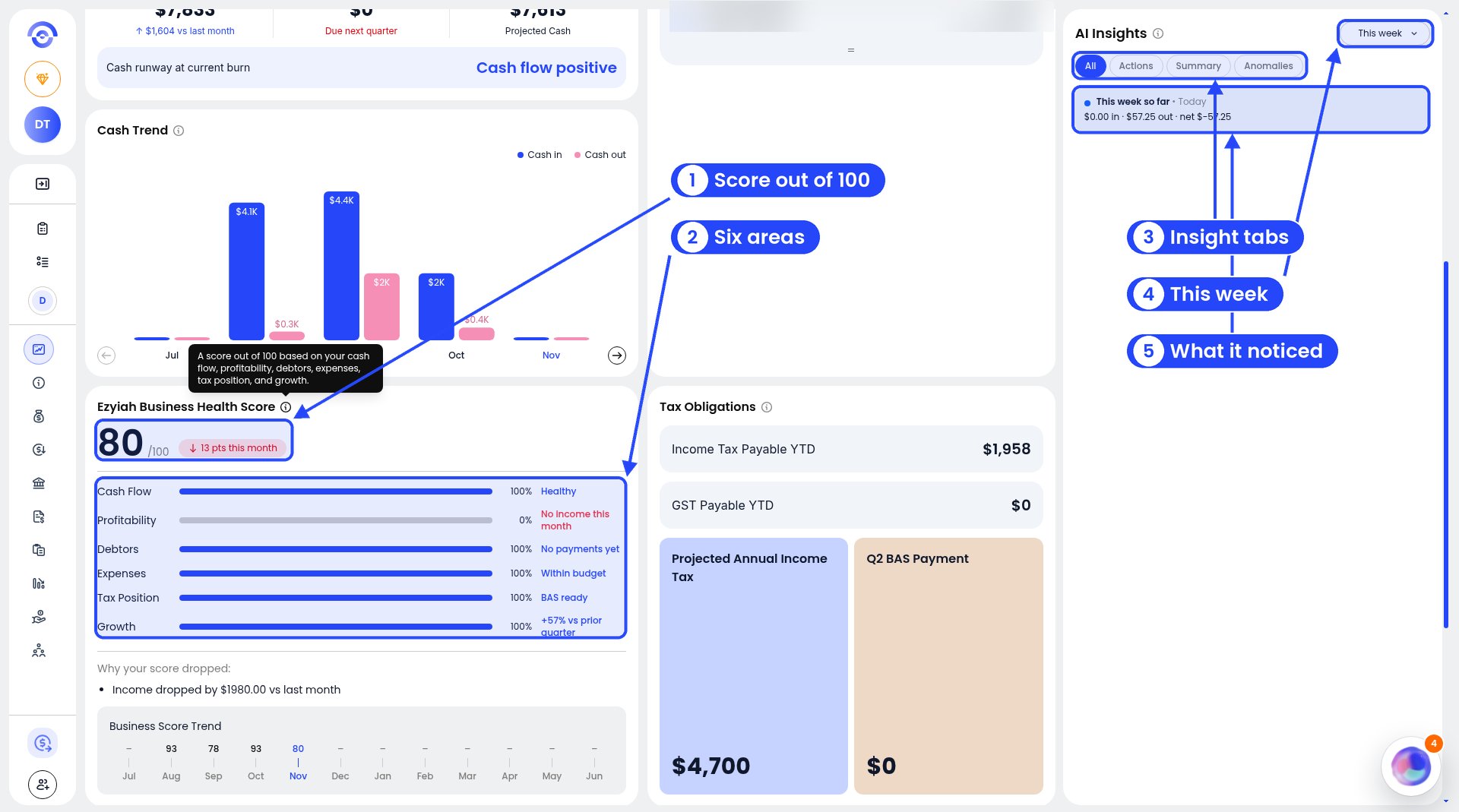
Health Score and AI Insights
The dashboard is a guide, not advice. GST Payable, the insights and the Healthy badge aren’t a tax assessment or a credit score. Your accountant checks and finalises your BAS and tax returns.