

Add a product or service
1
Open Products & Services
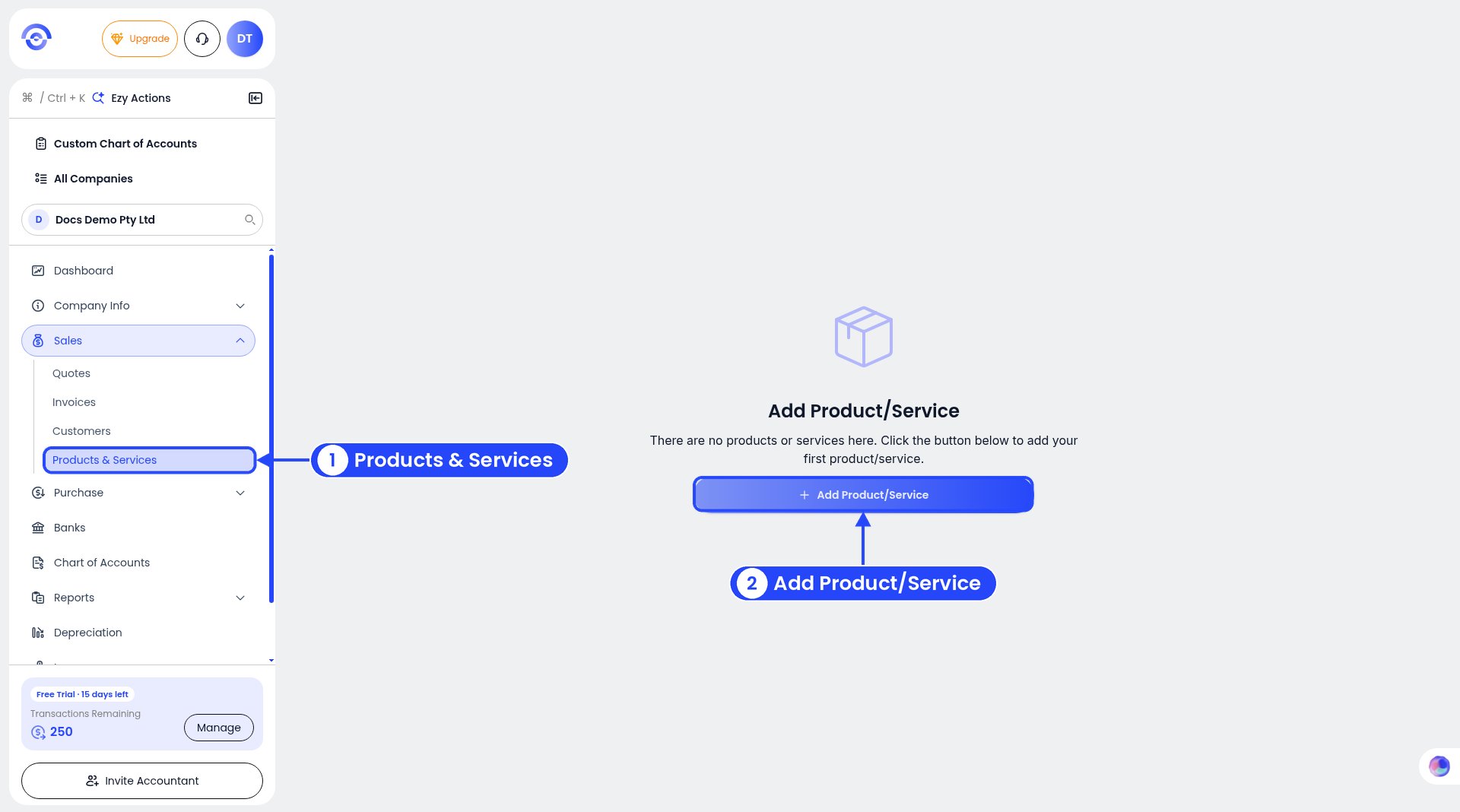
Step 1: no products or services yet
2
Pick a category
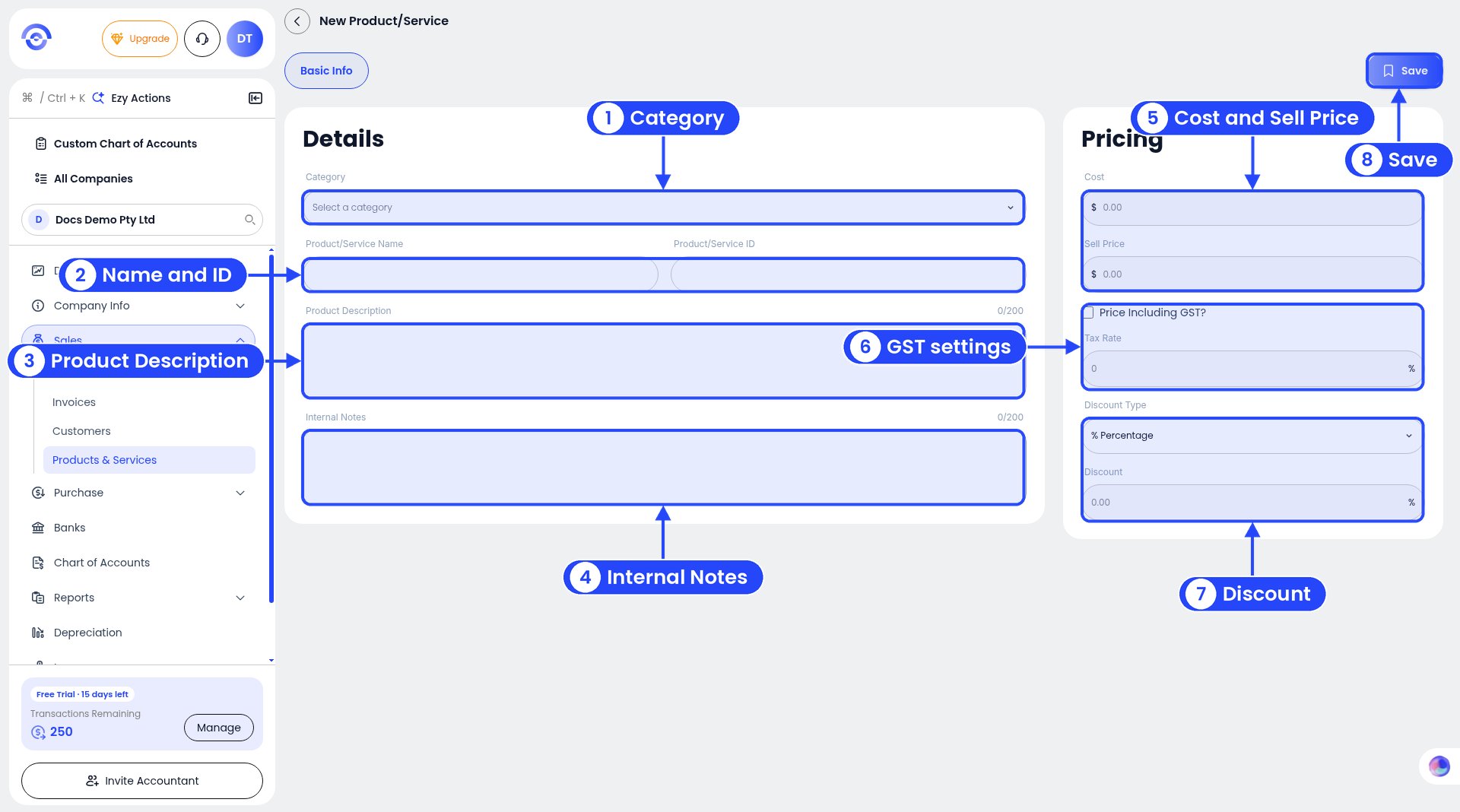
The New Product/Service form. The numbers follow steps 2 to 9.
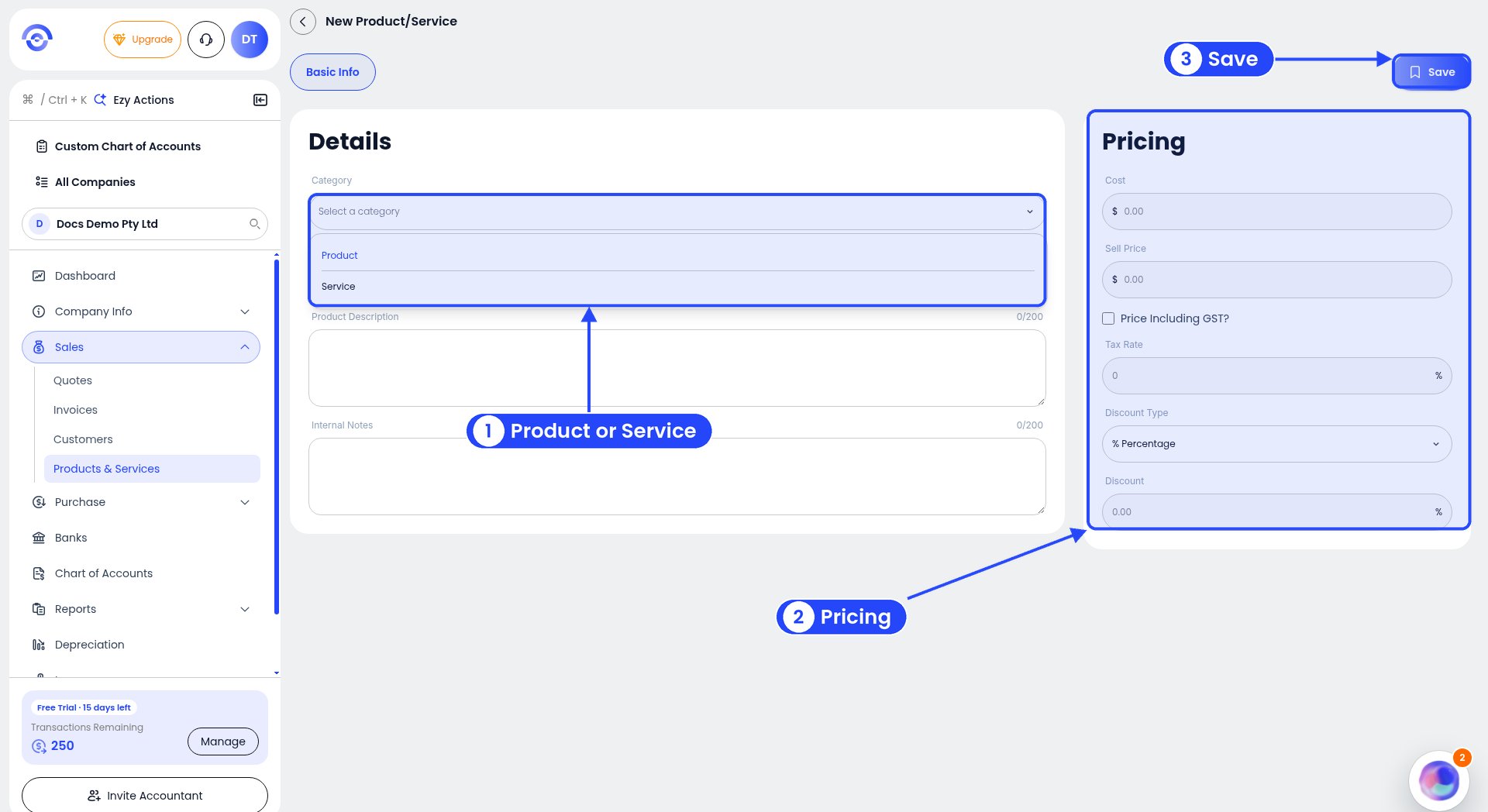
Category is Product or Service
3
Name it
Fill in the Product/Service Name, for example “Consulting services, per day”. Add a Product/Service ID (your own code) if you use one, for example CONS-DAY.
4
Describe it
Add a Product Description (up to 200 characters).
5
Add notes for yourself
Internal Notes are for you, not your customer (up to 200 characters).
6
Set the prices
Under Pricing, enter the Cost (what it costs you) and the Sell Price (what you charge).
7
Set GST
Tick Price Including GST? if your sell price already includes GST. Enter the Tax Rate, which is usually 10% for GST.
8
Add a discount (optional)
Pick a Discount Type, such as % Percentage, and enter the Discount.
9
Save
Click Save at the top right.
Example
A consultant saves their day rate:
On an invoice, that line comes to $1,280.00 plus $128.00 GST, so $1,408.00.