

Before you start
- Add your customer in Customers. You can also add a new one while you make the quote.
- Save the things you sell often in Products & Services, so you don’t retype them.
- Check your logo, ABN and GST status in Company Info.
Make a quote
1
Open Quotes
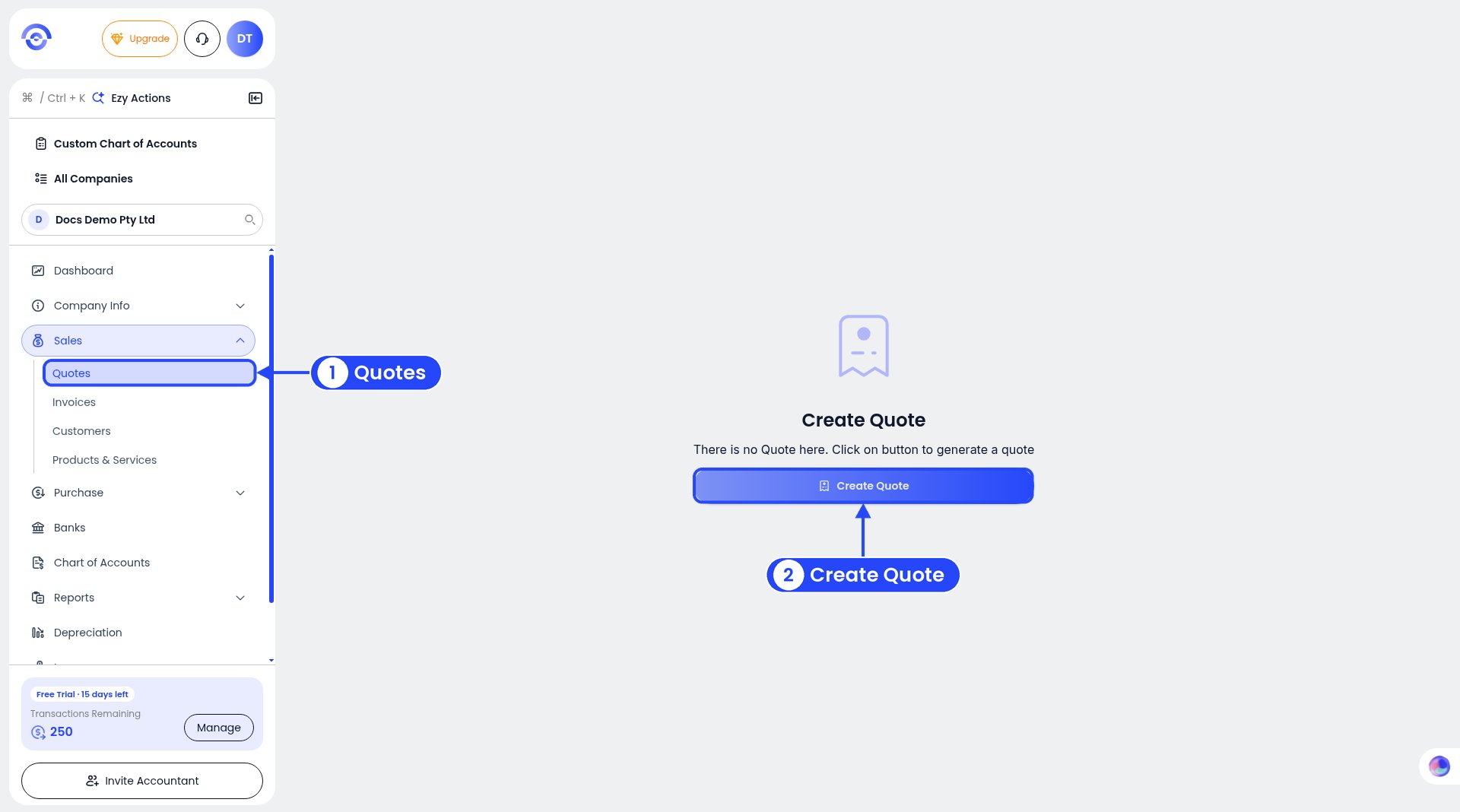
Step 1: no quotes yet
2
Pick the customer
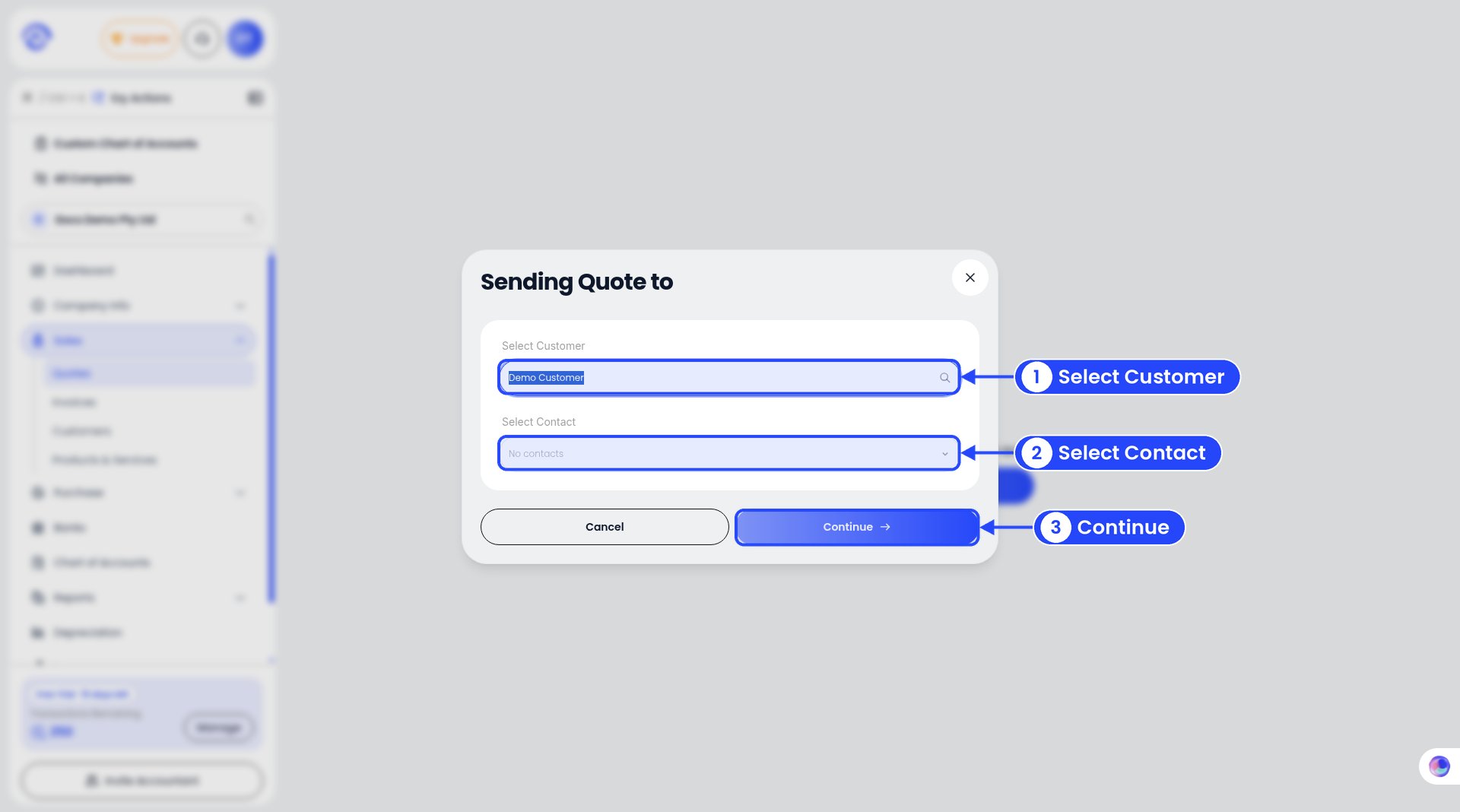
Step 2: pick the customer
3
Check the top of the quote
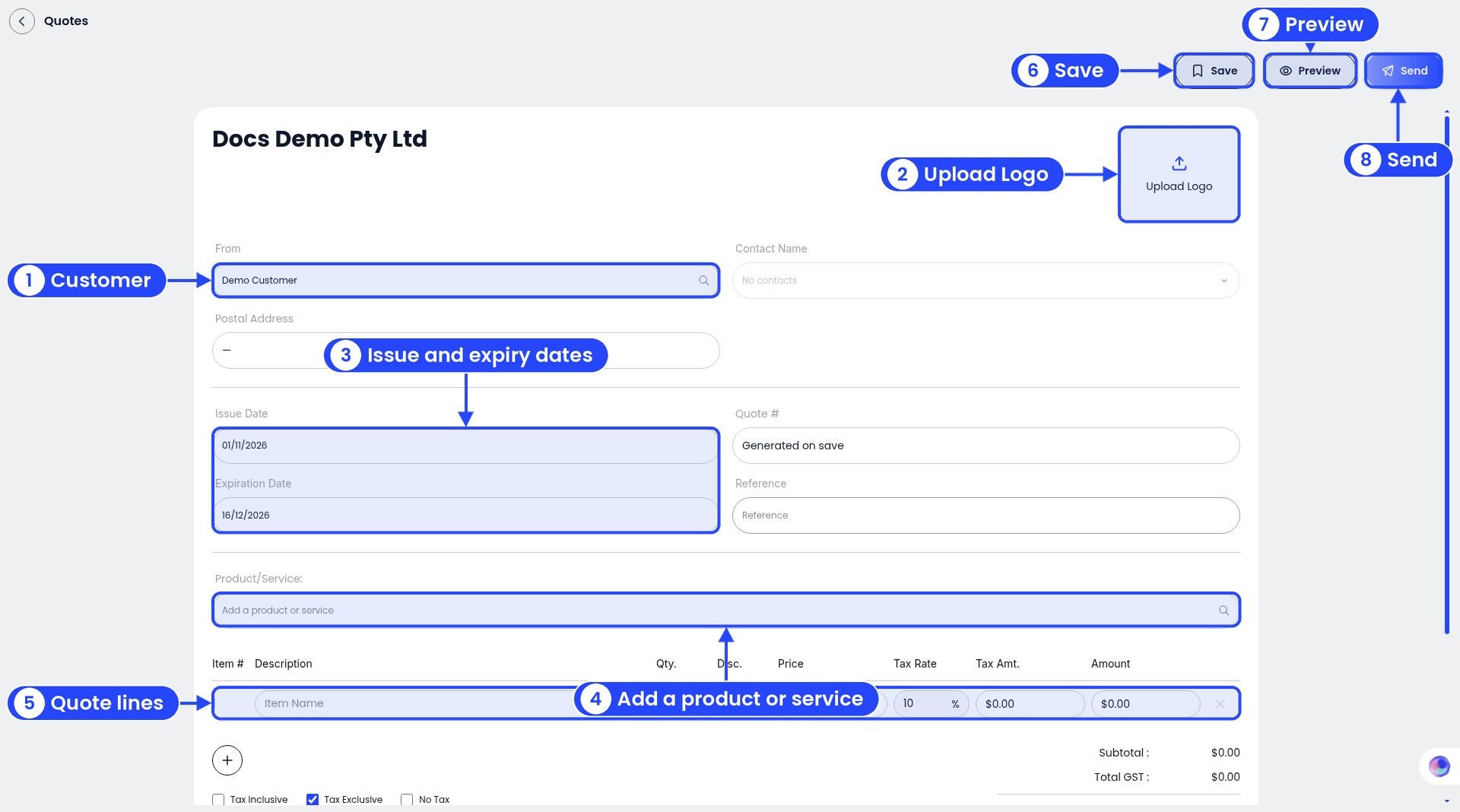
Steps 3 to 7: the quote form
4
Add what you're charging for
Pick a saved item under Product/Service, or type a line yourself: Description, Qty., Disc. and Price. The Tax Rate starts at 10% GST. Click + to add more lines.
5
Choose how GST works
Pick Tax Exclusive (the default: prices are before GST), Tax Inclusive (prices already include GST) or No Tax. The Subtotal, Total GST and Total AUD update as you go.
6
Add terms (optional)
Use Terms at the bottom. For example, “Quote valid for 30 days. 50% deposit before work starts.”
7
Save, preview or send
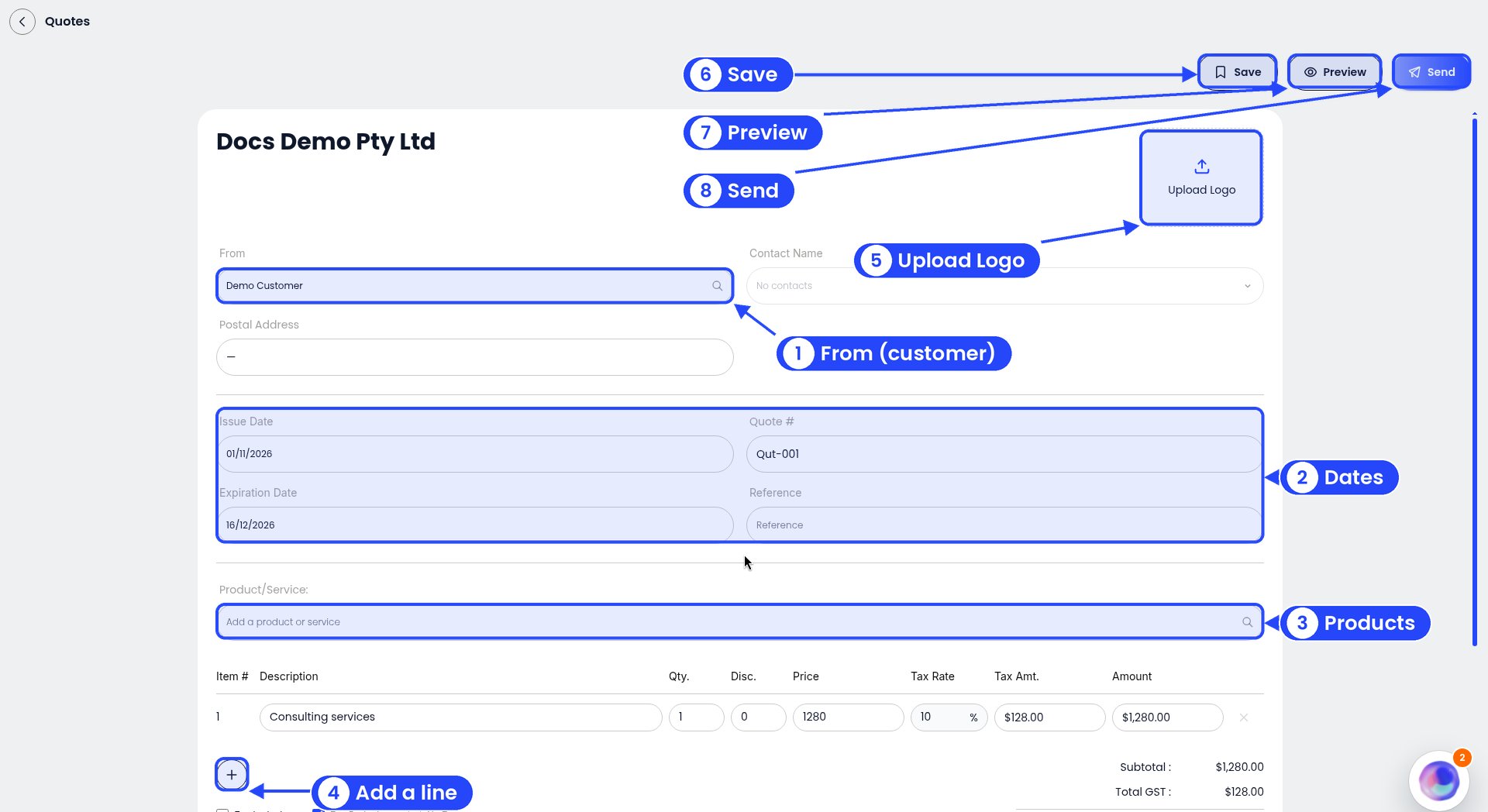
A draft quote, ready to edit
Preview and send a quote
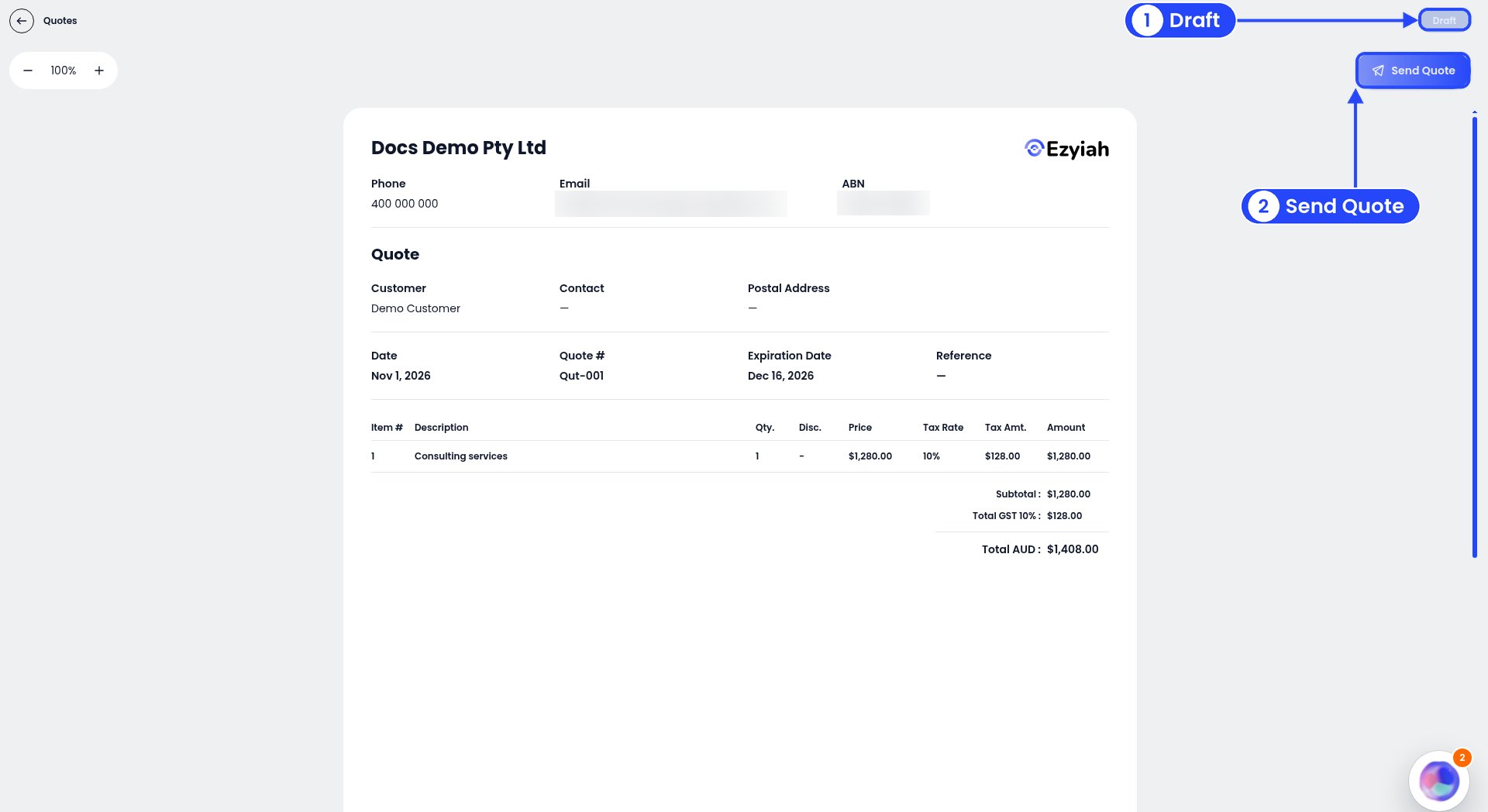
The quote preview
Example
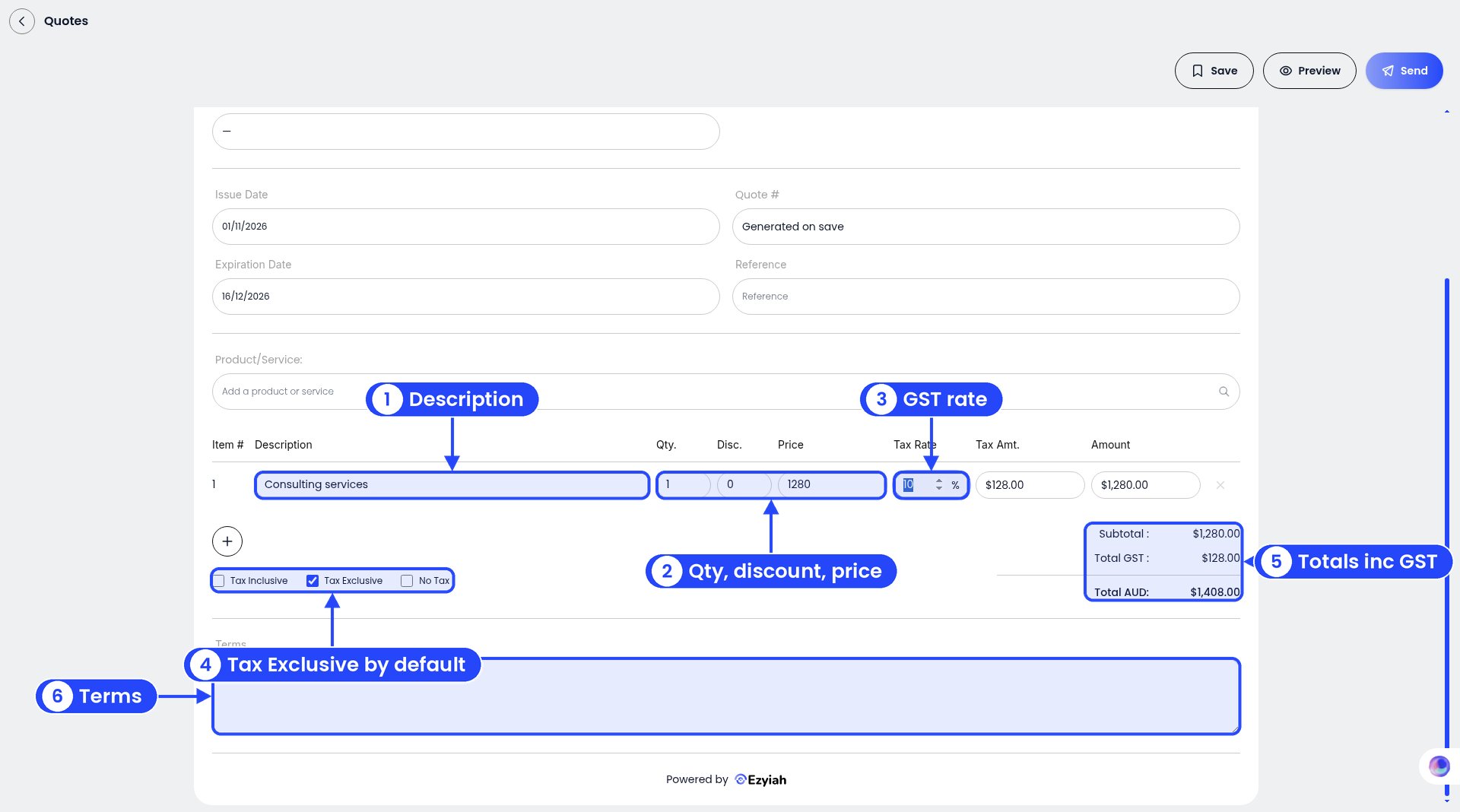
The example line and totals
With Tax Exclusive ticked, the totals are Subtotal $1,280.00**, **Total GST $128.00 and Total AUD $1,408.00.
Your quotes list
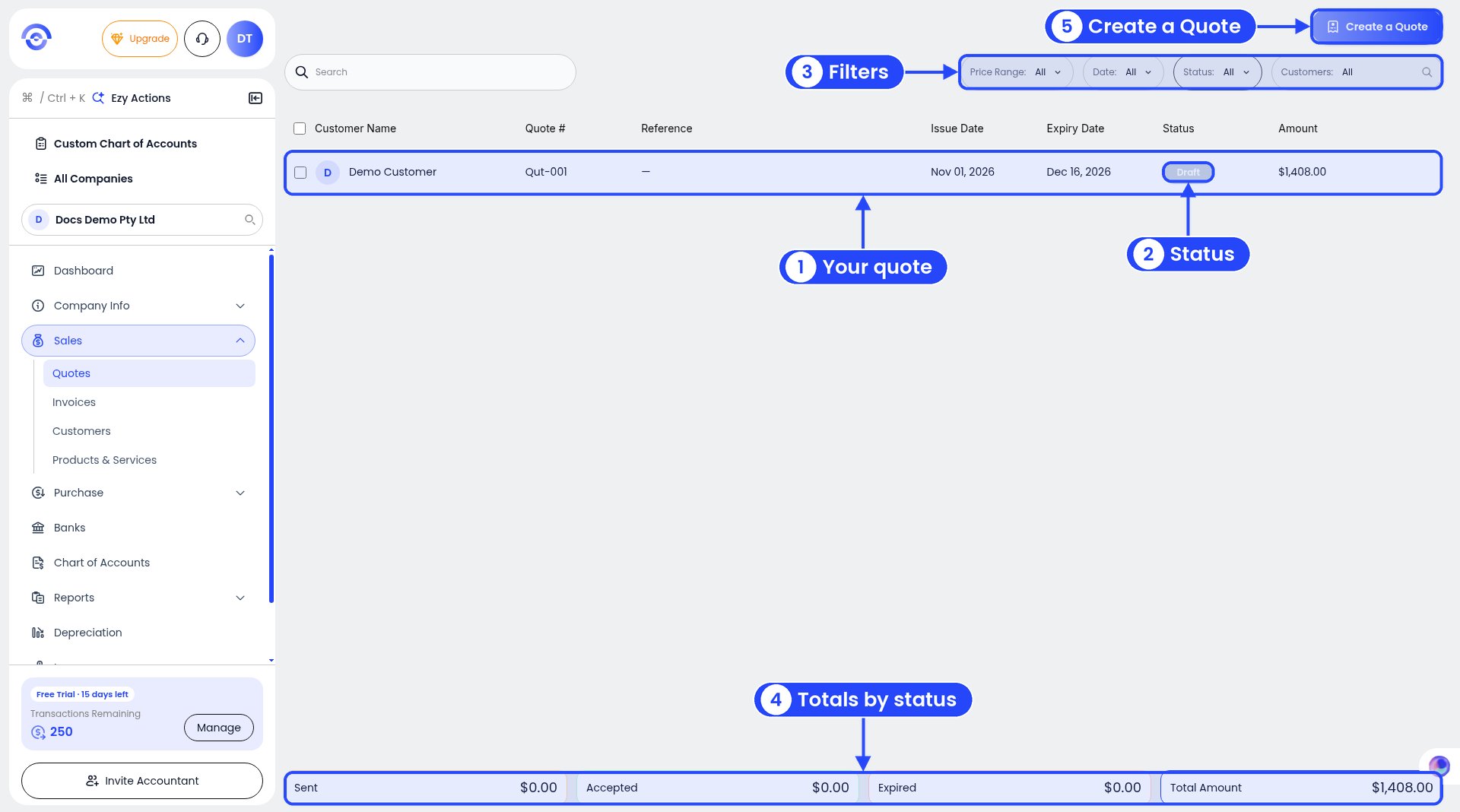
The quotes list