

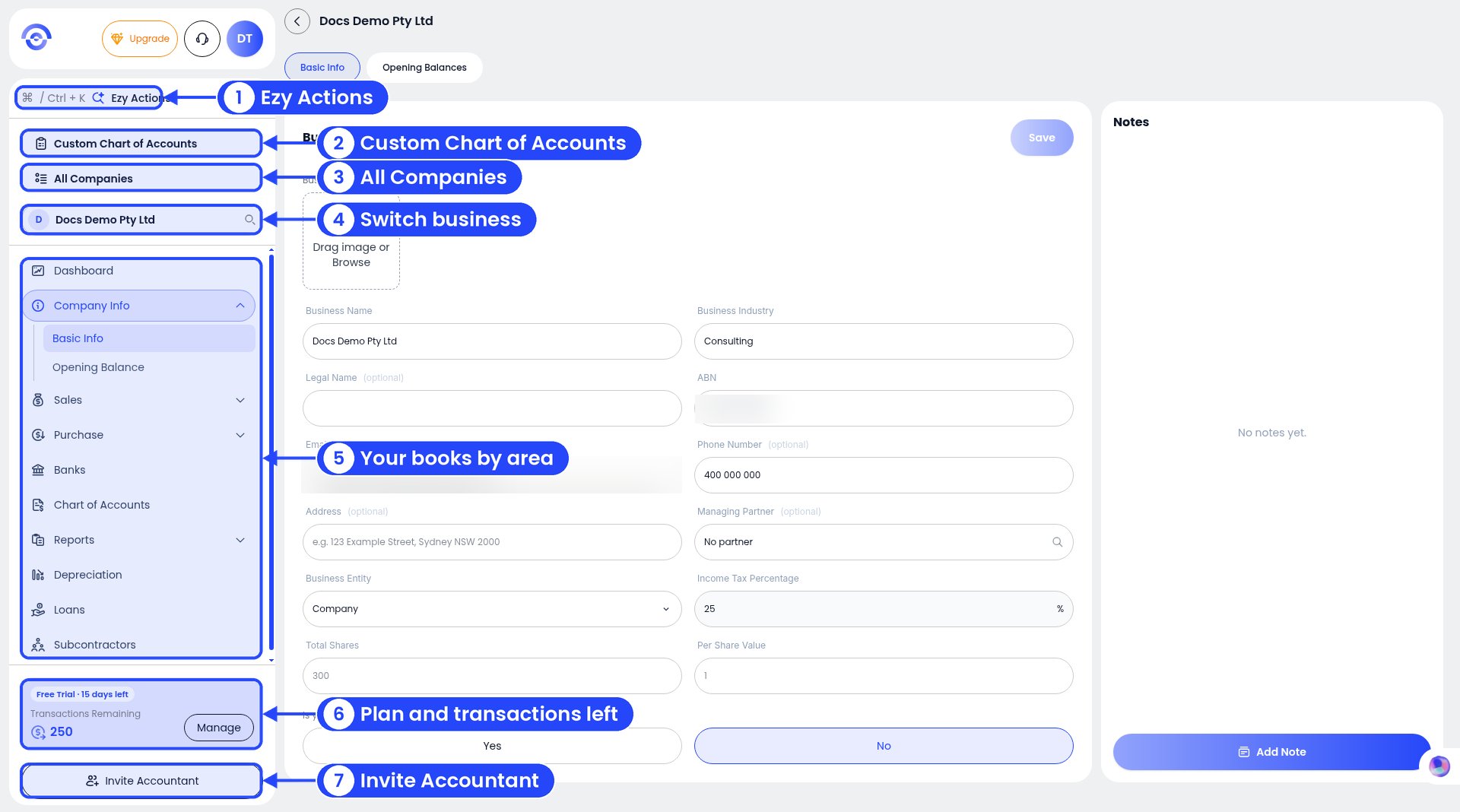
The sidebar. The numbers match the list below.
- Ezy Actions (Ctrl + K or Cmd + K): jump anywhere, or do something quickly. See Ezy Actions. The icon next to it collapses the sidebar.
- Custom Chart of Accounts: see every account and add your own. See Custom chart of accounts.
- All Companies: all your businesses. See More than one business.
- Business search box: shows the business you’re in. Type to switch to another.
- Your books, from top to bottom:
- Plan card: on a free trial it shows the days left (for example “Free Trial · 15 days left”) and Transactions Remaining. Click Manage to see plans.
- Invite Accountant: bring your accountant in. See Inviting your accountant.
The top row
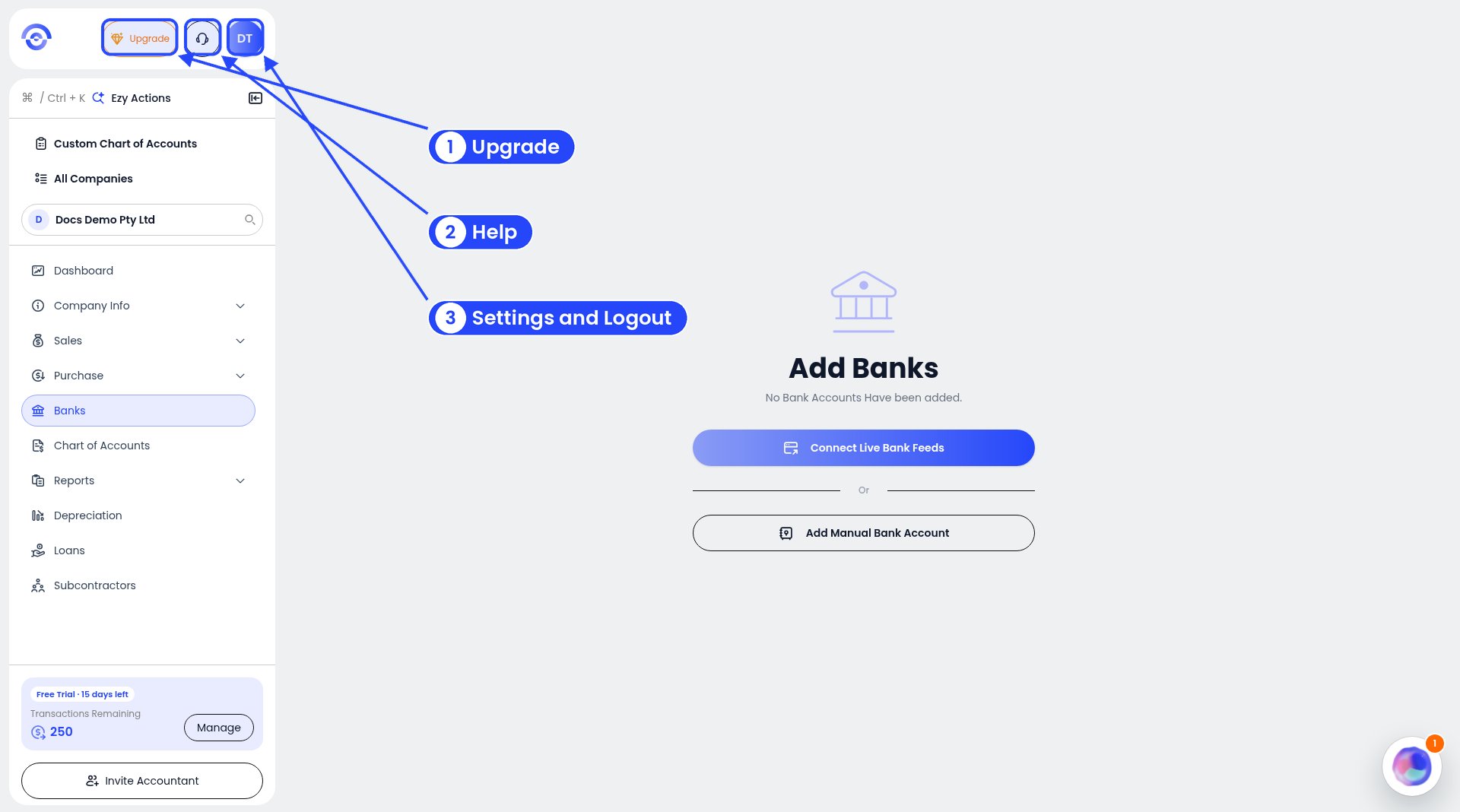
Upgrade, Help and your avatar
- Upgrade: pick a paid plan. See Managing your subscription.
- Help (headset icon): help documents, suggestions, bug reports and chat. See Getting help.
- Your initials: Settings and Logout. See Settings.