Topping Up Your Transactions
If you run low on reconciled transactions before your next billing date, you can purchase a top-up pack at any time without upgrading your plan. Top-up transactions are added to your balance immediately.
Step 1 — Click Top Up Credits
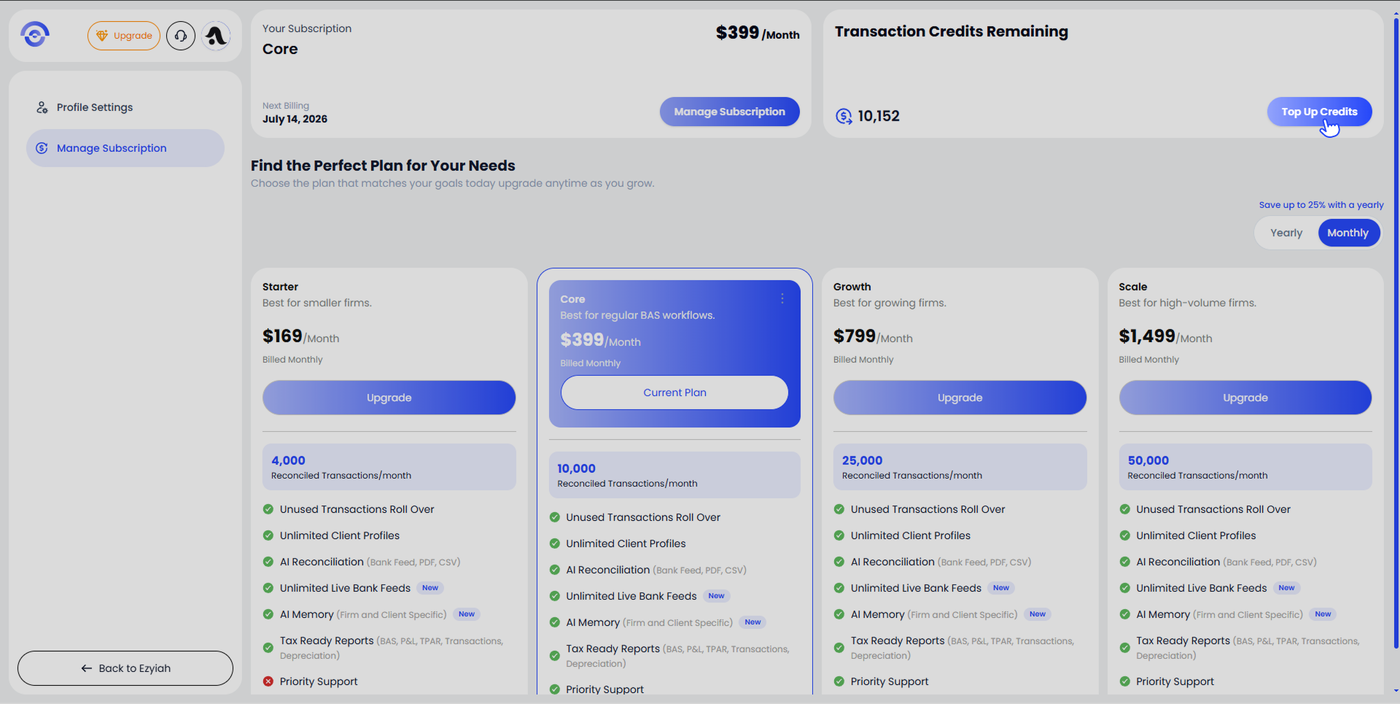
From the Manage Subscription page, your current transaction balance is shown in the Transaction Credits Remaining section at the top right. Click Top Up Credits.
Step 2 — Select a Top-Up Pack
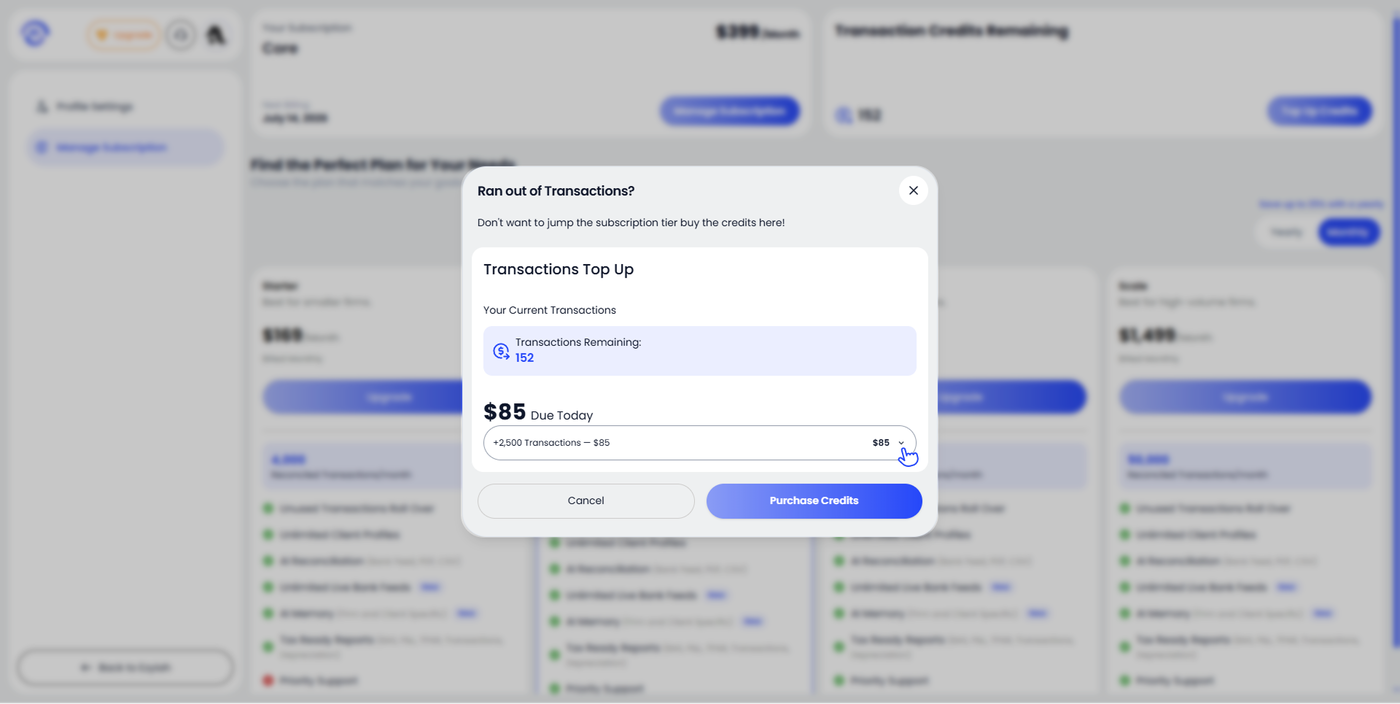
The Transactions Top Up modal opens showing your current transaction balance and the available top-up packs. The default selection is the smallest pack.
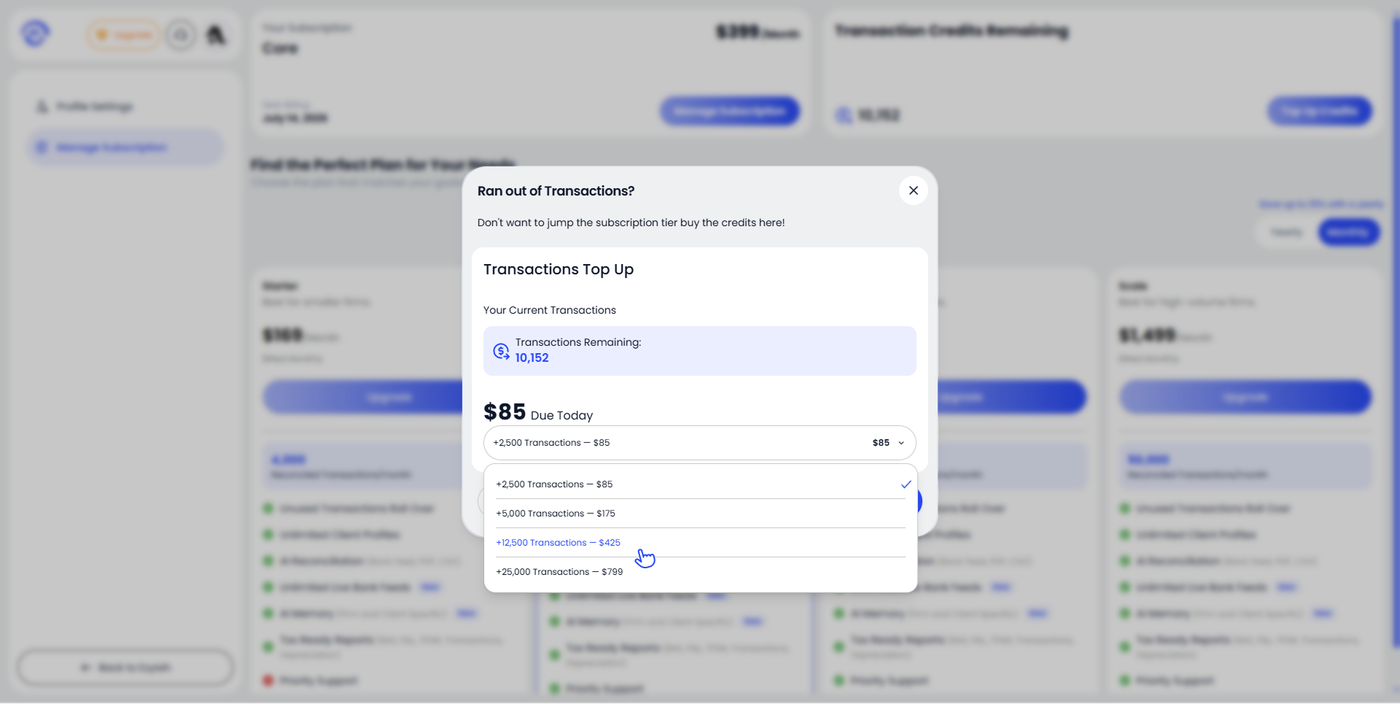
Click the dropdown to see all available options:
+2,500 Transactions — $85
+5,000 Transactions — $175
+12,500 Transactions — $425
+25,000 Transactions — $799
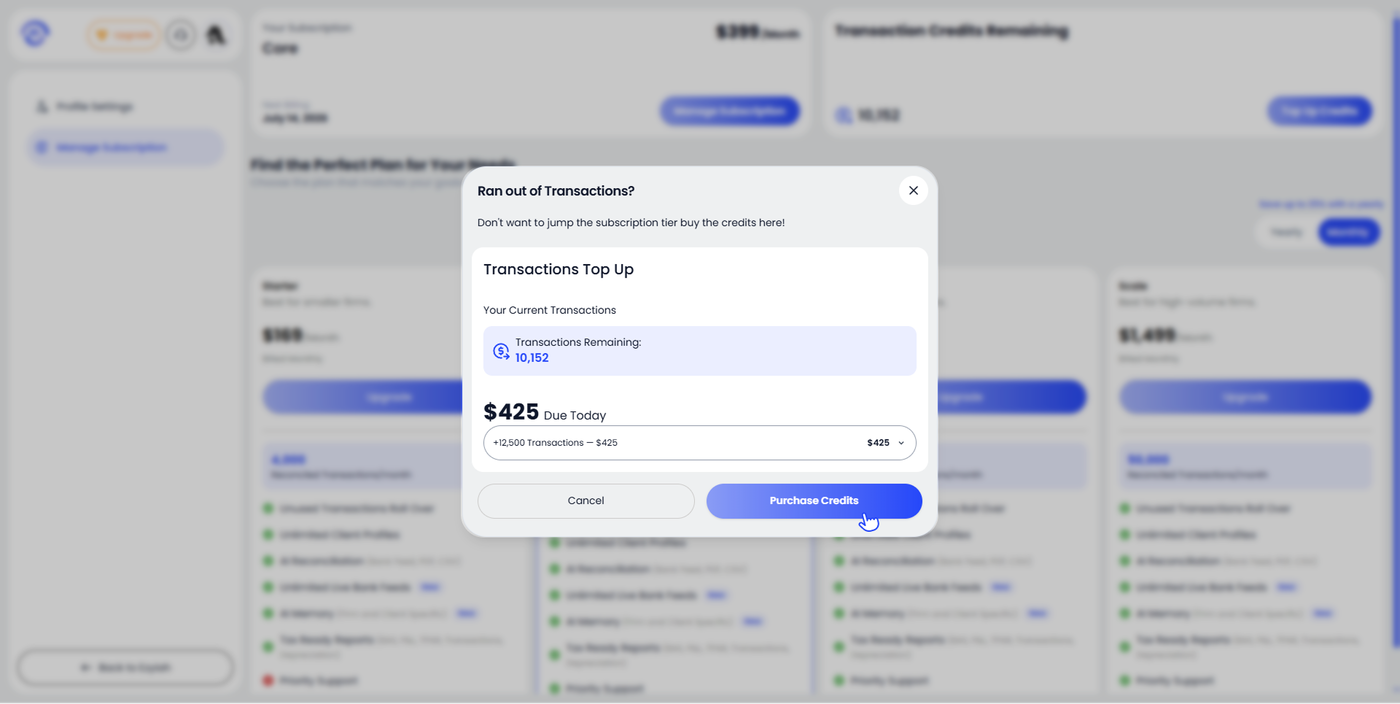
Select the pack that suits your needs. The Due Today amount updates to reflect your selection.
Step 3 — Purchase Credits
Once you have selected your pack, click Purchase Credits. The transaction balance updates immediately and the additional transactions are available to use straight away.