

Add a loan
1
Open Loans
Open the client and click Loans in the sidebar. For the first loan, click Add Your First Loan. After that, use Add Loan in the top right.
2
Pick the loan type
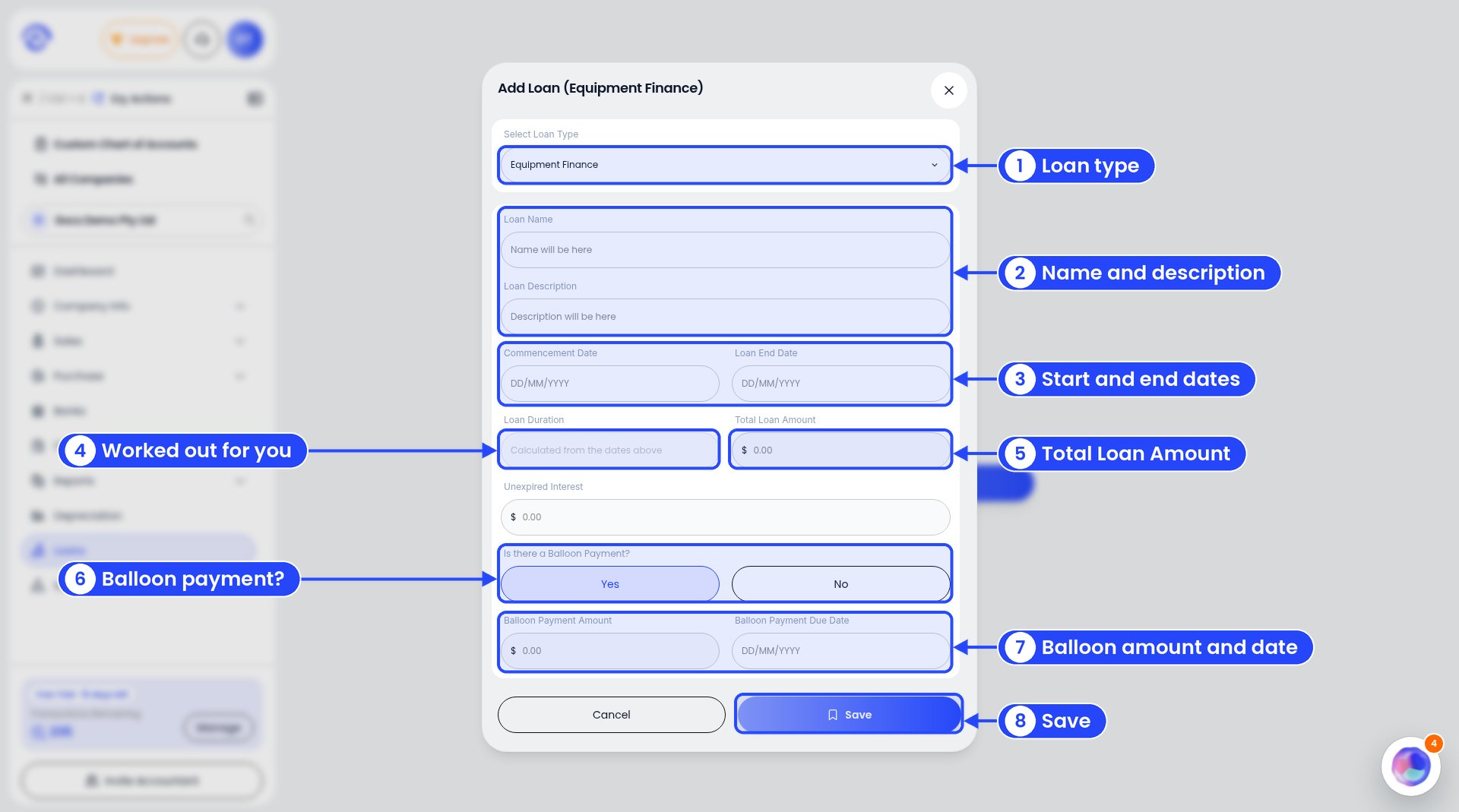
The Add Loan window with a balloon payment (shown on a business account; it's the same for a client)
3
Name it
Give it a Loan Name your team will know, like the thing it paid for. Add a Loan Description if you like.
4
Add the dates
Enter the Commencement Date and Loan End Date (DD/MM/YYYY). Ezyiah works out the Loan Duration.
5
Add the amounts
Enter the Total Loan Amount and the Unexpired Interest still to pay.
6
Balloon payment?
If there’s a lump sum at the end, choose Yes under Is there a Balloon Payment? and enter the Balloon Payment Amount and Balloon Payment Due Date. If not, leave it on No.
7
Save
Click Save. The loan shows in the Loans list.
Example
A plumber buys a $66,000 ute on equipment finance on 1 August 2025. It's a five-year term, with a $13,200 balloon at the end.In the Loans list, Balloon Payment, Unexpired Interest and Total Loan Amount are read only. To change them, open the loan and edit it.
On a business account
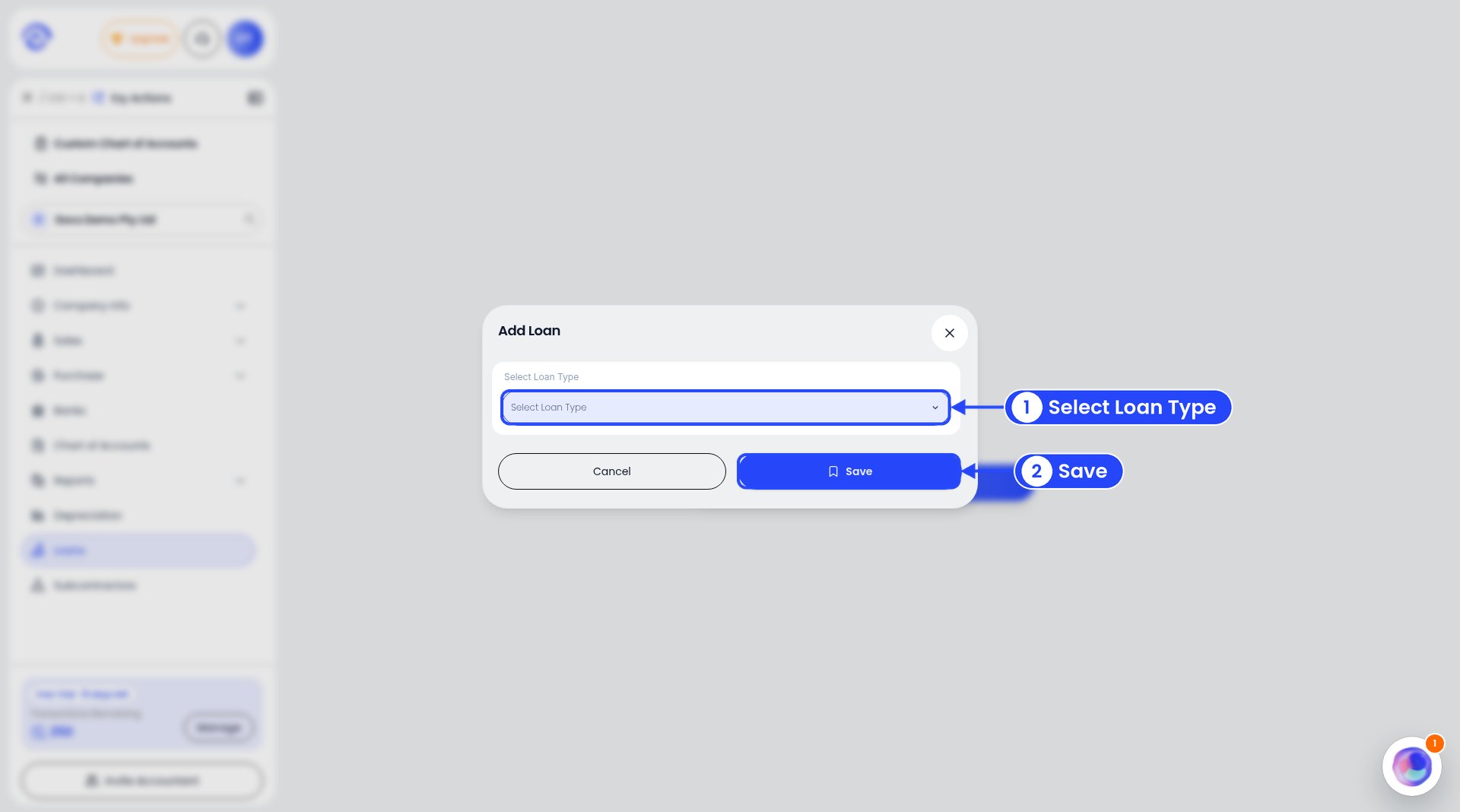
Pick the loan type
Choose Yes for a balloon payment and two more fields show: Balloon Payment Amount and Balloon Payment Due Date.
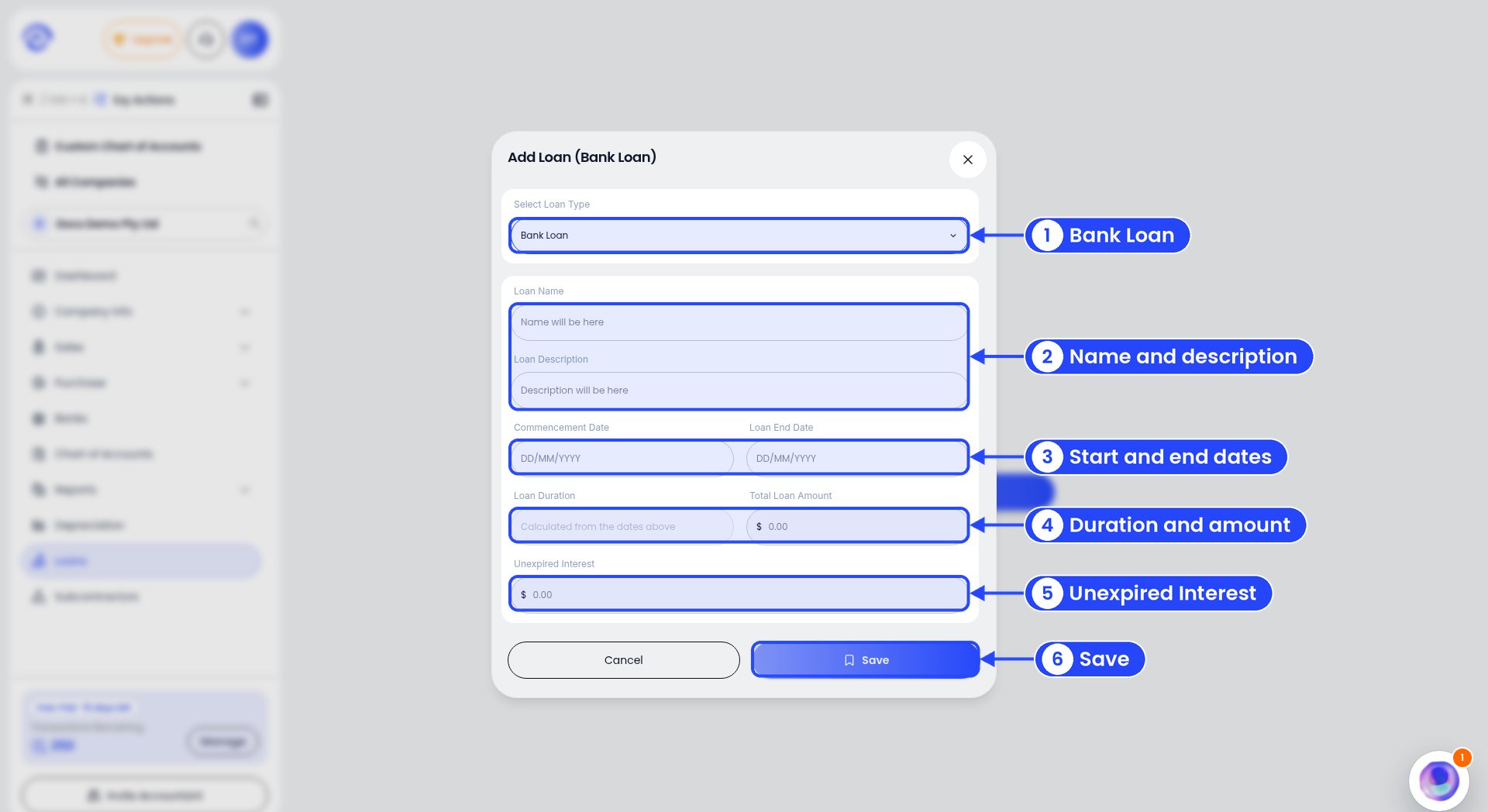
The Add Loan window for a Bank Loan
- Loan Name and Loan Description
- Commencement Date and Loan End Date
- Loan Duration, which is worked out from the dates
- Total Loan Amount
- Unexpired Interest