

- building and construction
- cleaning
- courier and road freight
- IT
- security, investigation or surveillance
1
Find the subcontractors
Ezyiah looks through the Subcontractor Payments transactions and creates a record for each subcontractor. Add anyone it misses yourself. See Auto Sync Subcontractors.
2
Check who each payment belongs to
In the TPAR, open a subcontractor’s transactions and assign any payment that’s linked to the wrong person. See Assigning payments to subcontractors.
3
Run the report
Check it, then export it. See TPAR report.
The AI does the sorting. You check every subcontractor’s ABN and every payment before the TPAR is lodged.
On a business account
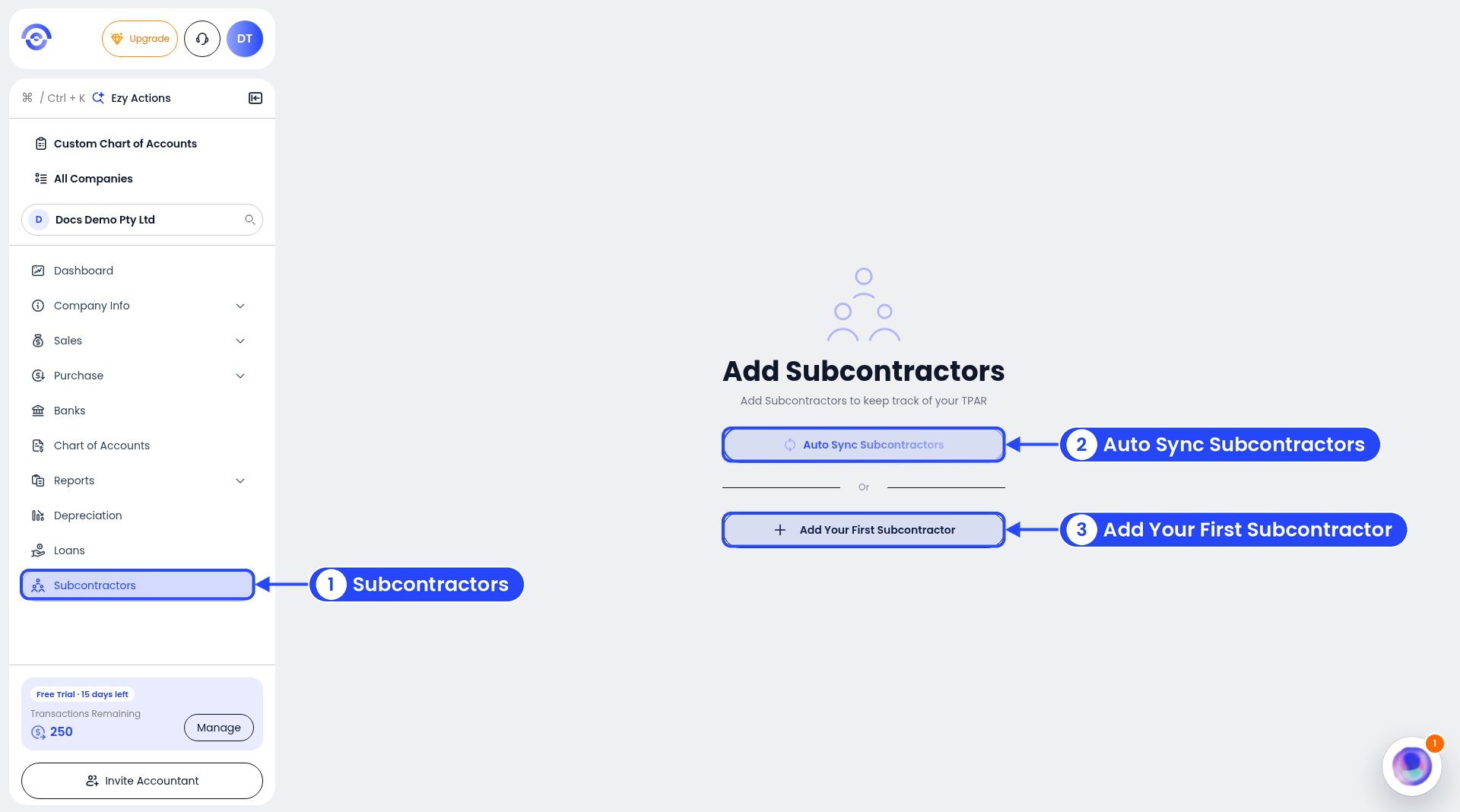
Subcontractors before you add any
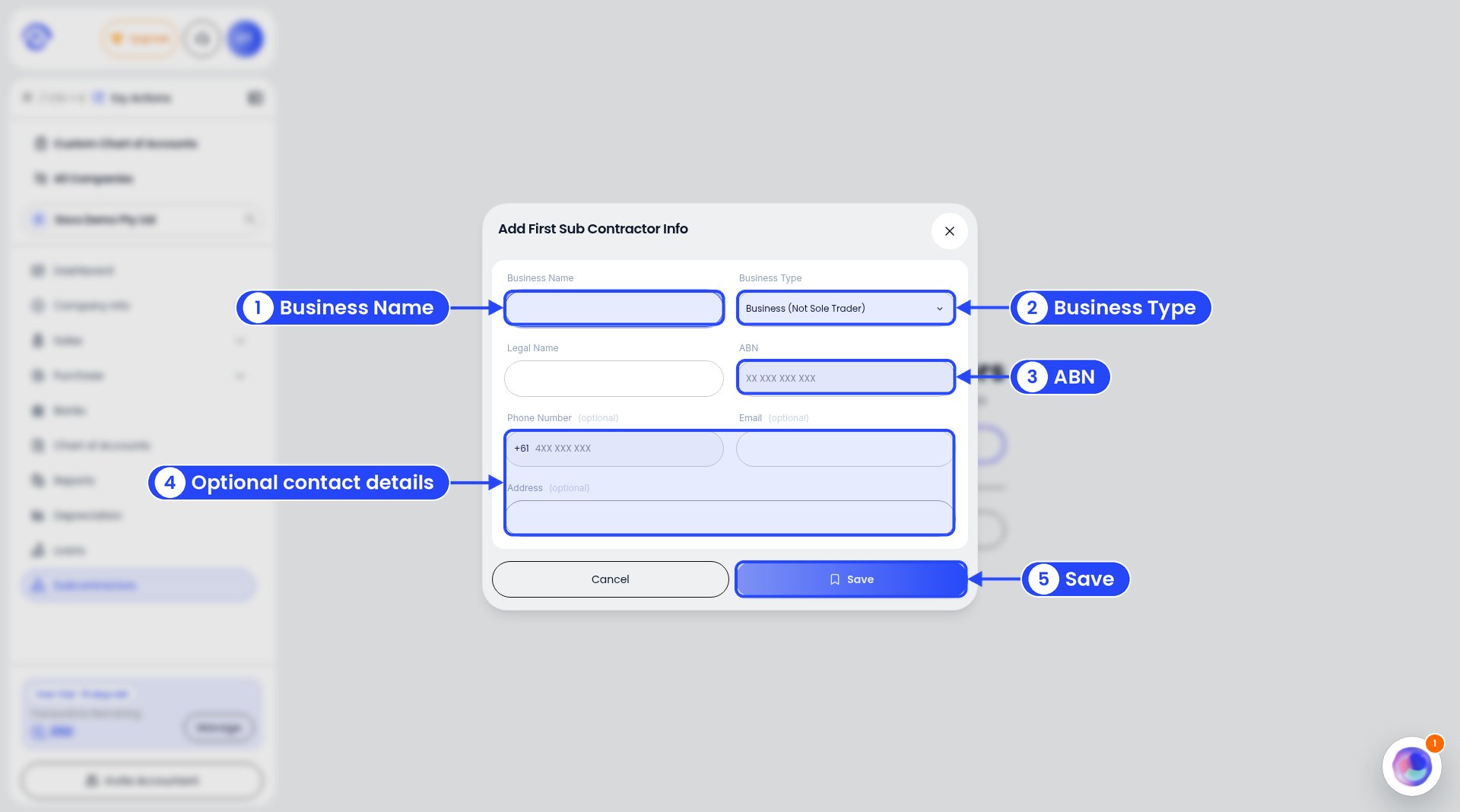
Adding a subcontractor