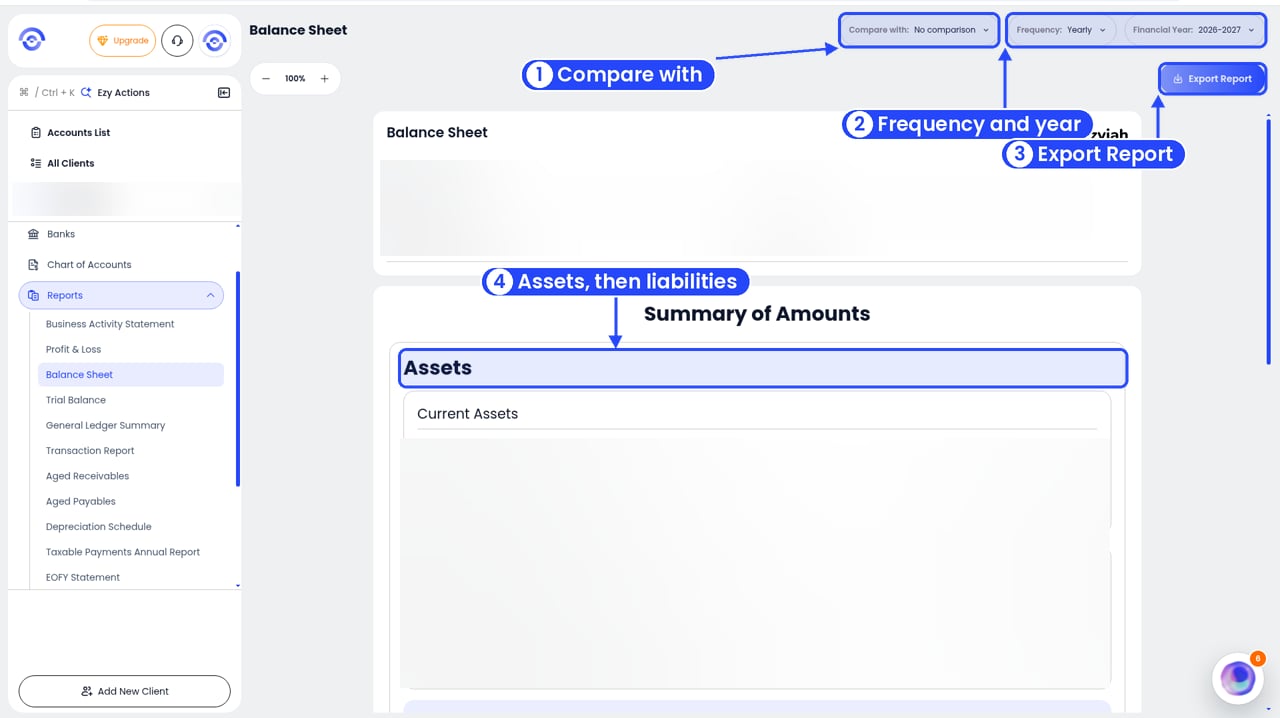
The Balance Sheet shows what the business owns and owes. Ezyiah builds it from the reconciled transactions and the opening balances.
The Balance Sheet is built for the business’s entity type: Company, Partnership, Sole Trader, Unit Trust or Discretionary Trust. An accountant chooses the entity type when they add a client. A business owner chooses it for their own business in Company Info. The Balance Sheet and the Notes in the EOFY Statement both change with the entity type. See Choosing the business entity.

Run the report

1

Open Reports
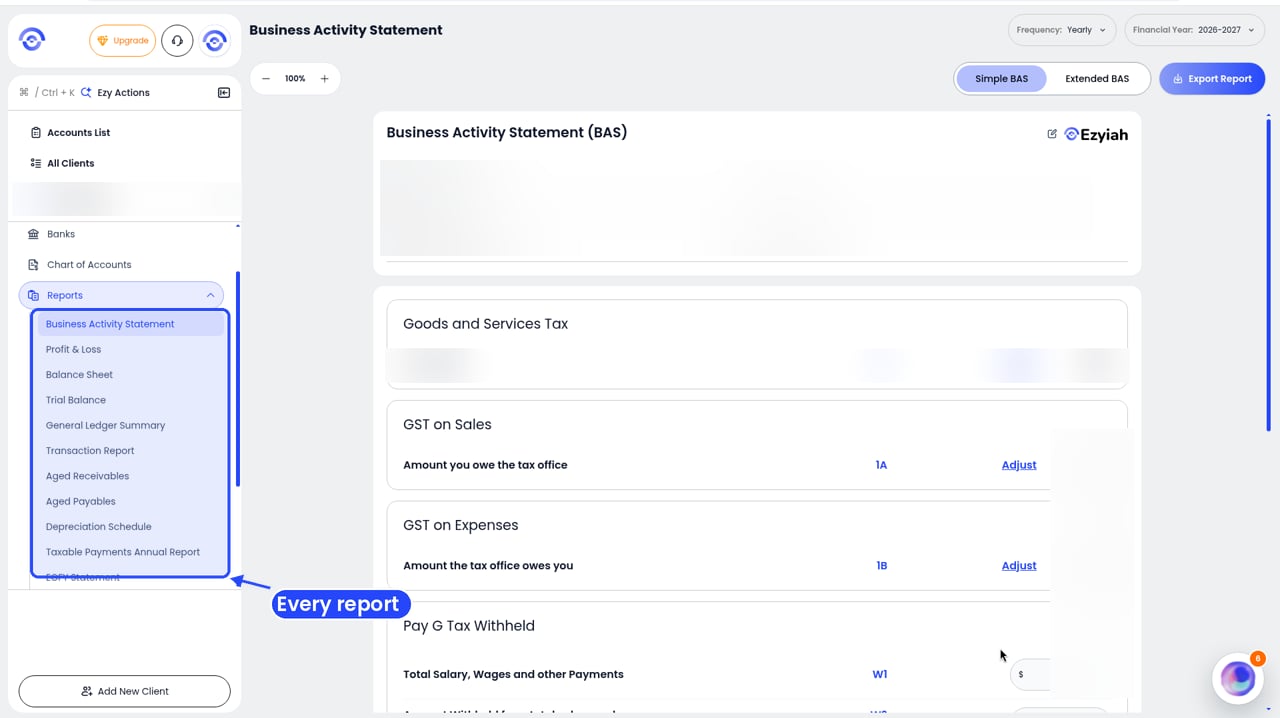
The client sidebar with Reports open, listing every report from Business Activity Statement to EOFY Statement

Step 1: Reports in the client's sidebar

Open the client and click Reports in the sidebar.
2

Click Balance Sheet

The Balance Sheet report with numbered callouts on Compare with, the Frequency and Financial Year filters, Export Report and the accounts header. Figures are blurred

The Balance Sheet report

Ezyiah builds the report and shows it on screen.
3

Pick the period

Use Frequency (for example quarterly or monthly) and Financial Year in the top right. To compare with another period, use Compare with.

Read the report

The top shows the Company Name, Reporting Period and Prepared By. Summary of Amounts starts with Assets:
  • Current Assets: for example Cash on Hand, GST Receivable, Stock on Hand and Work in Progress, then Total Current Assets.
  • Non-Current Assets: longer-term assets, laid out the same way.
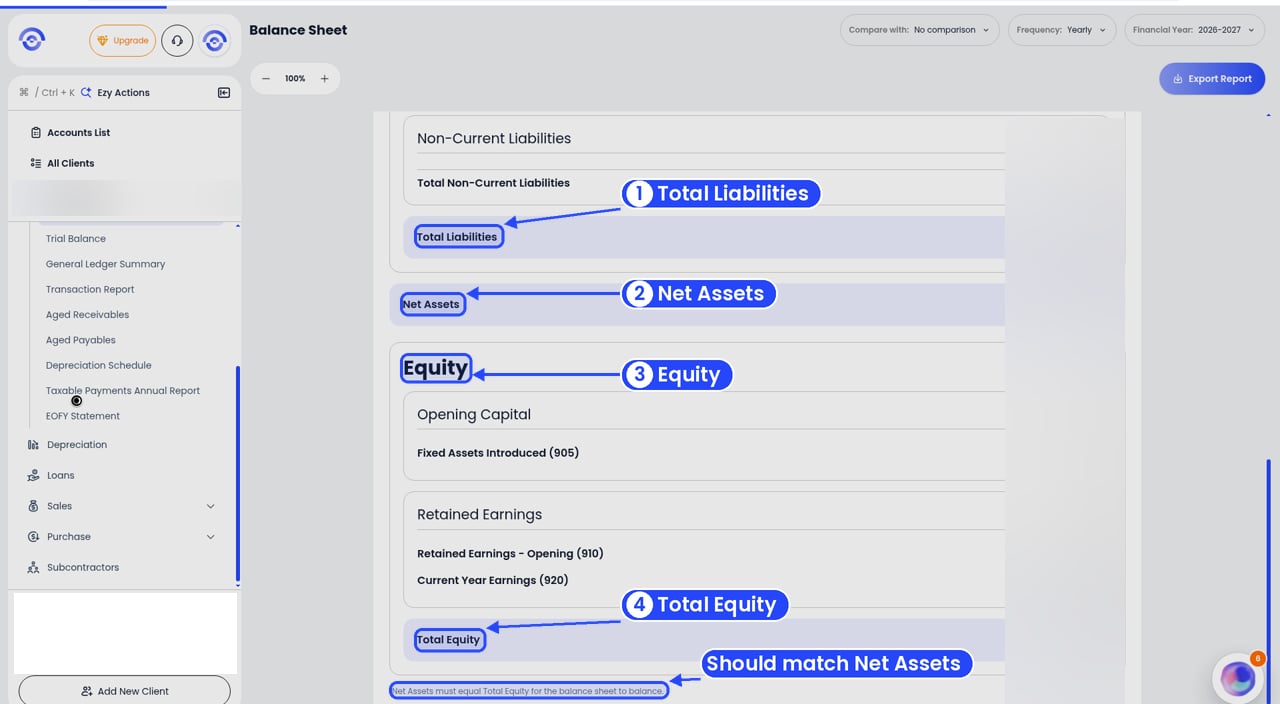
The bottom of the Balance Sheet with numbered callouts on Total Liabilities, Net Assets, Equity, Total Equity and the note that they must balance. Figures are blurred

Liabilities, Net Assets and Equity

Then come Liabilities: current and non-current, each with a total, then Total Liabilities. Net Assets is total assets less total liabilities. Equity follows. What you see here depends on the entity type. For example:
  • Opening Capital, such as Fixed Assets Introduced
  • Retained Earnings: Retained Earnings – Opening and Current Year Earnings
  • Total Equity
At the bottom, Ezyiah reminds you that Net Assets must equal Total Equity for the balance sheet to balance, and shows any Difference. If there’s a difference, check the opening balances and the Suspense card in the Chart of Accounts. The account you set as Cash at Bank shows here too. See Managing bank feeds.
Use the zoom buttons in the top left to resize the report. Click Export Report in the top right to download it.