These two reports show money that hasn’t been paid yet, sorted by how long it’s been waiting.
  • Aged Receivables: money your customers still owe you, from your invoices.
  • Aged Payables: money you still owe suppliers, from your bills.
Example: you sent Demo Customer Pty Ltd an invoice for $1,408 (inc GST), and it's 45 days old. It shows on Aged Receivables until it's paid, so you know who to chase. A $220 bill from Demo Supplier Pty Ltd that you haven’t paid shows on Aged Payables.

Open them

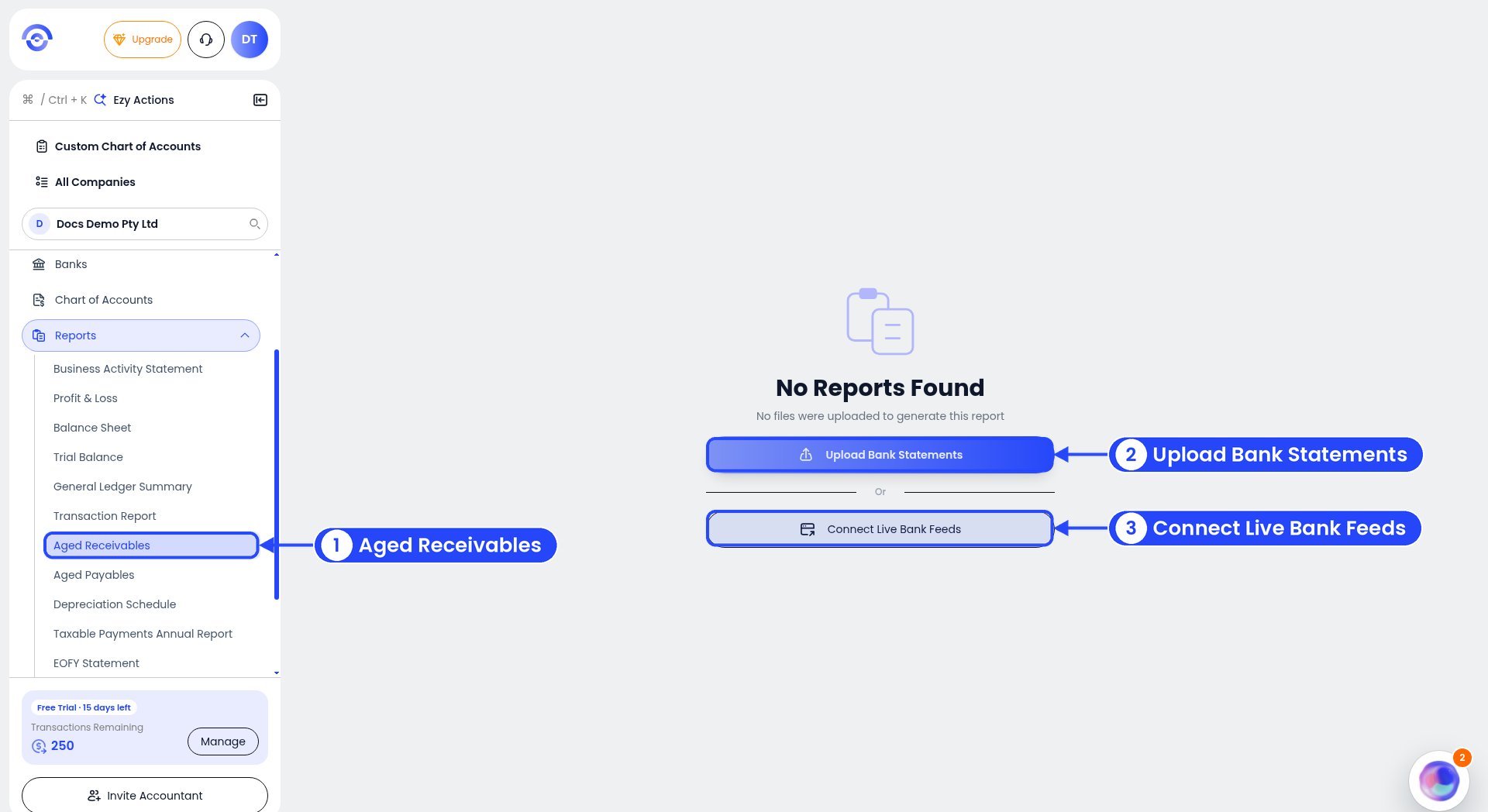
The empty Aged Receivables report with callouts on Aged Receivables in the sidebar, Upload Bank Statements and Connect Live Bank Feeds

Aged Receivables with no data yet

Click Reports in the sidebar, then Aged Receivables or Aged Payables. With no data yet, you’ll see “No Reports Found”. Click Upload Bank Statements or Connect Live Bank Feeds to get started. Aged Payables looks the same when it’s empty.
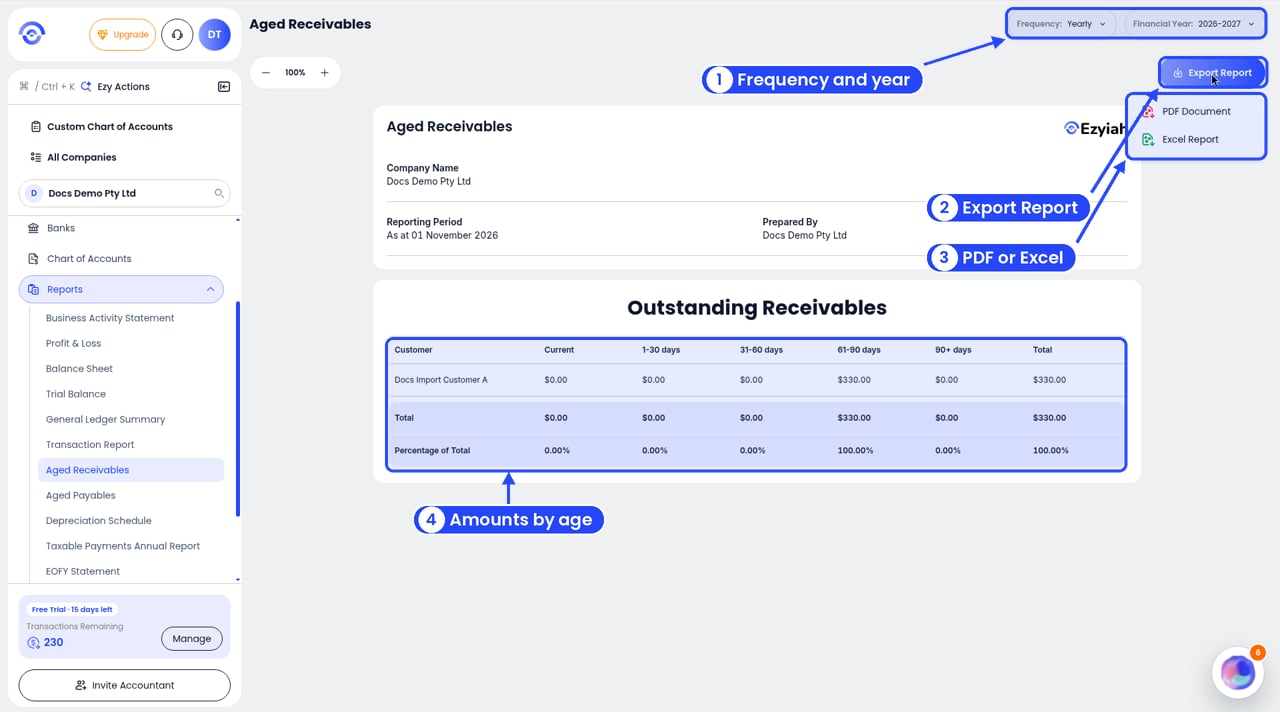
The Aged Receivables report with callouts on Frequency and Financial Year, Export Report, the PDF Document and Excel Report options, and the table of amounts by age

Export Aged Receivables as a PDF or Excel file

Once you have data, the Reporting Period shows the date, for example “As at 01 November 2026”. Use Frequency (Monthly, Quarterly, Yearly or Custom Date) and Financial Year in the top right. Click Export Report for a PDF Document or an Excel Report.

Read the report

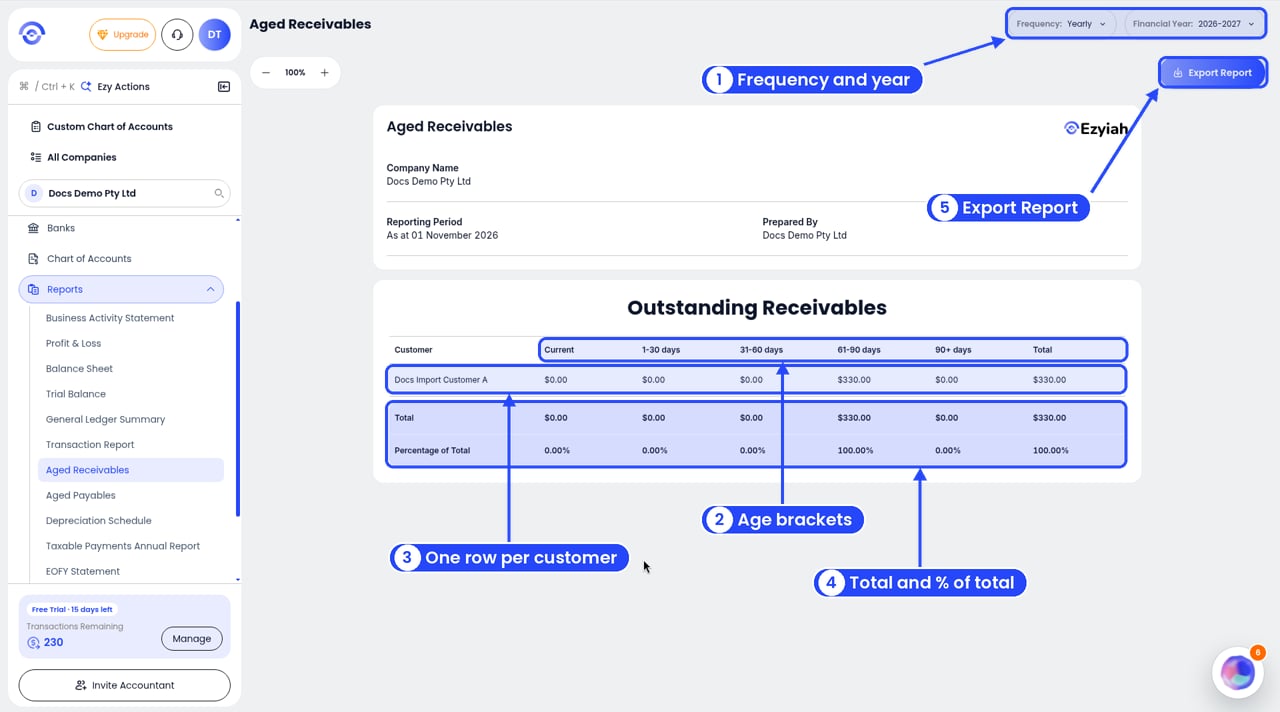
The Aged Receivables report with callouts on Frequency and Financial Year, the age bracket columns, the customer row, the Total and Percentage of Total rows, and Export Report

Aged Receivables with money owed

When something is owed, you’ll see a table called Outstanding Receivables (or Outstanding Payables). There’s one row for each Customer (or Supplier), and these columns: At the bottom, Total adds up each column, and Percentage of Total shows each column’s share. Example: Inv-002 to Docs Import Customer A is for $330.00, due 31 August. As at 1 November it’s 62 days past due, so it shows under 61-90 days. With nothing else owed, that column is 100.00% of the total.
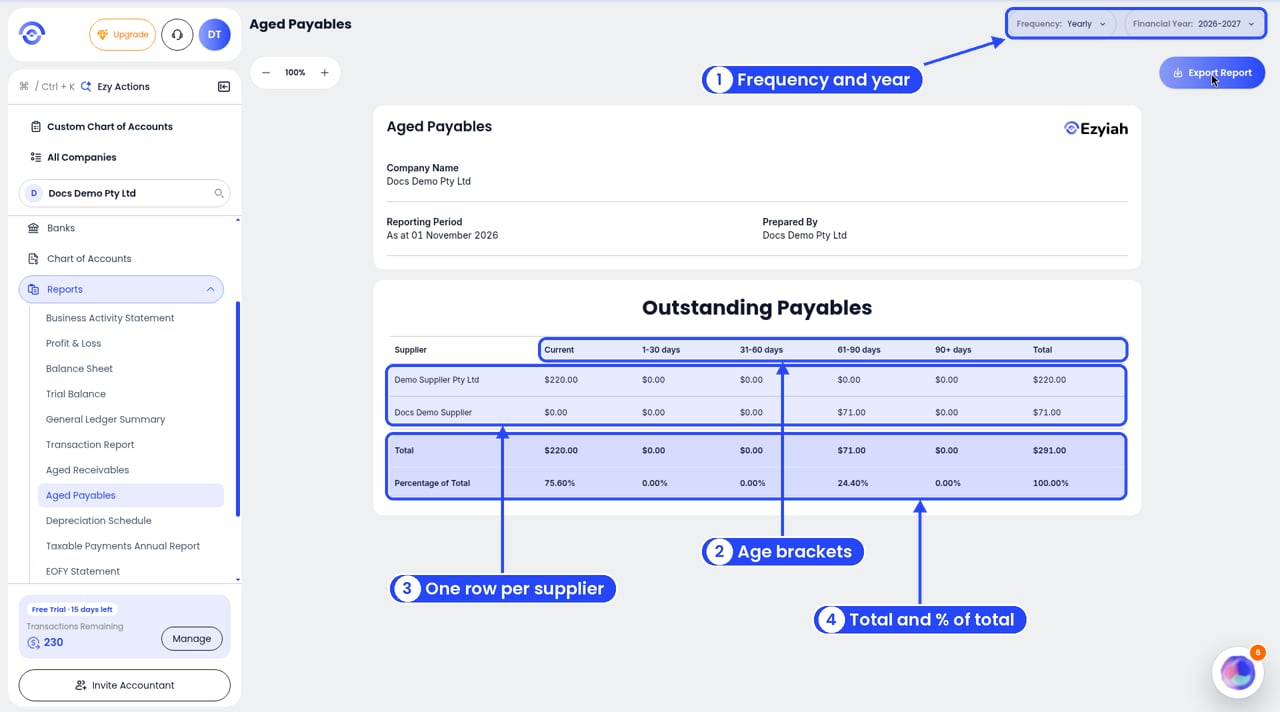
The Aged Payables report with callouts on Frequency and Financial Year, the age bracket columns, the supplier rows, and the Total and Percentage of Total rows

Aged Payables with a bill to pay

Aged Payables works the same way for your bills. Example: as at 1 November you owe Demo Supplier Pty Ltd $220.00 that isn’t due yet (**Current**), and $71.00 left on a part-paid bill from Docs Demo Supplier that was due 31 August (61-90 days). The Total is $291.00: 75.60% current and 24.40% in 61-90 days.
Set payment reminders on your bills so you pay them on time. Use Auto Match so paid bills drop off Aged Payables.
See also Invoices and Bills.