

The Balance Sheet and the Notes to Financial Statements change with the business’s entity type: Company, Partnership, Sole Trader, Unit Trust or Discretionary Trust. Make sure the entity is right before you run the report. See Choosing the business entity.
Run the report
1
Open Reports
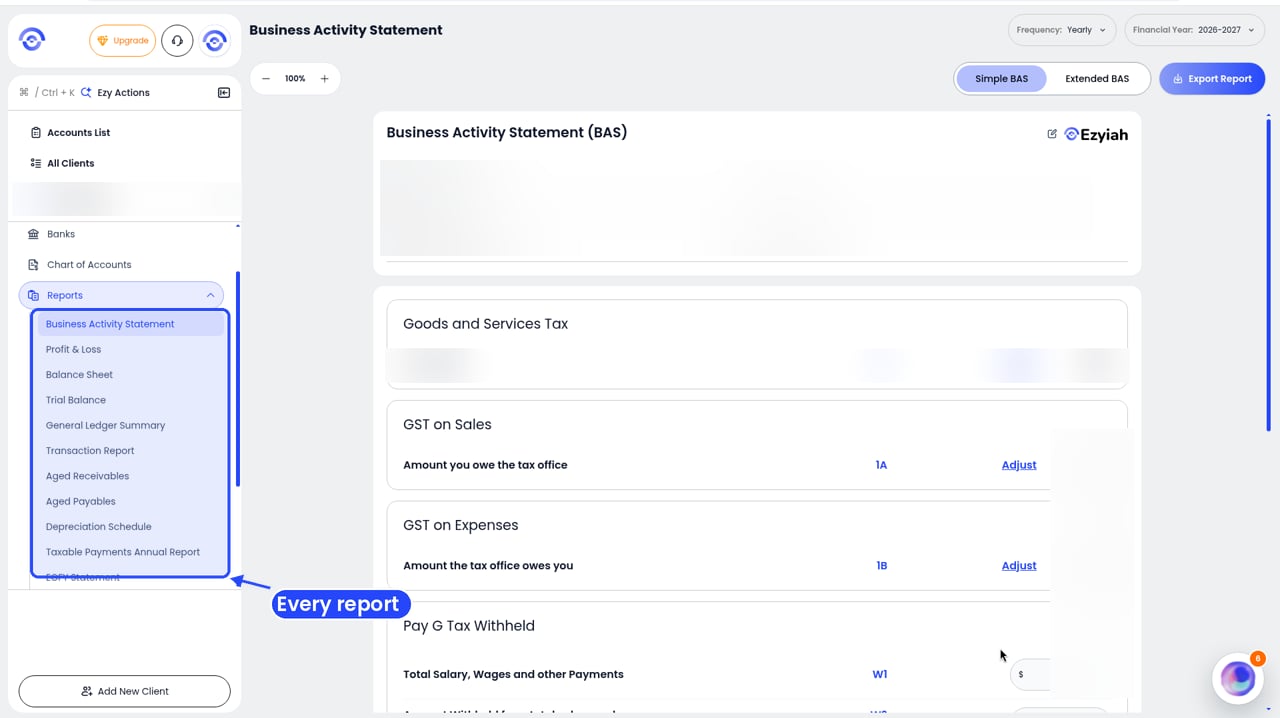
Step 1: Reports in the client's sidebar
2
Click EOFY Statement
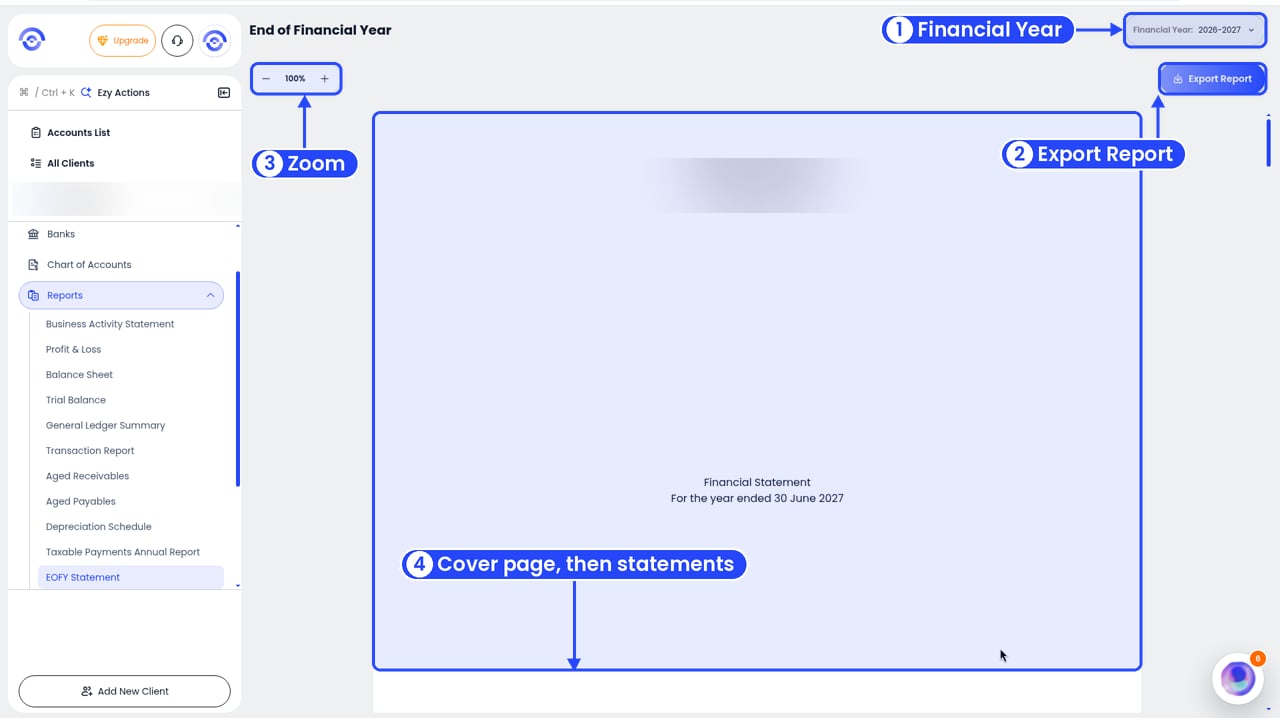
The EOFY Statement cover page
3
Pick the year
Use Financial Year in the top right.
Read the report
It opens with a cover page showing the client’s name and ABN, Financial Statement, the year end (for example For the year ended 30 June 2027) and Prepared By. Next is the Contents:- Profit and Loss Statement, laid out like the Profit & Loss report
- Balance Sheet, laid out like the Balance Sheet report
- Depreciation Schedule
- Notes to Financial Statements
- Directors’ Declaration
- Compilation Report
Notes, Directors’ Declaration and Compilation Report
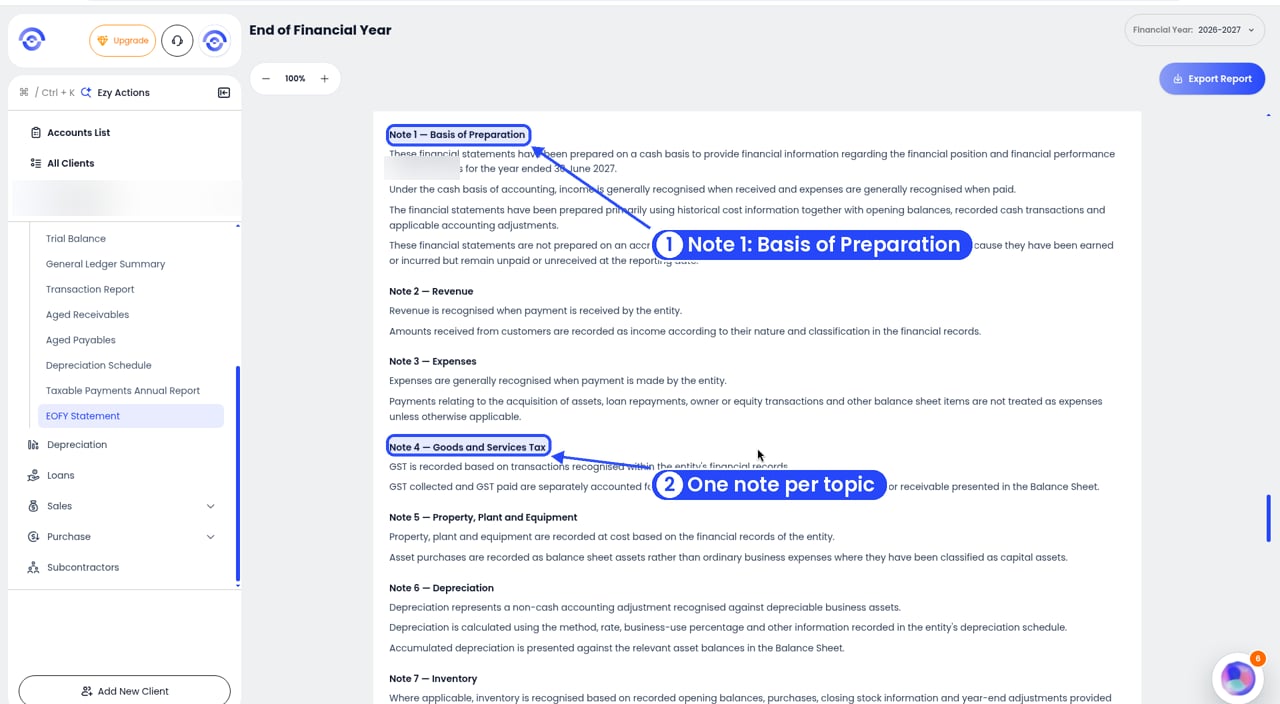
Notes to Financial Statements: one note per topic
- Note 1 — Basis of Preparation: that the statements are prepared on a cash basis
- Note 2 — Revenue and Note 3 — Expenses: when income and expenses are recognised
- Note 4 — Goods and Services Tax
- Note 5 — Property, Plant and Equipment, Note 6 — Depreciation and Note 7 — Inventory
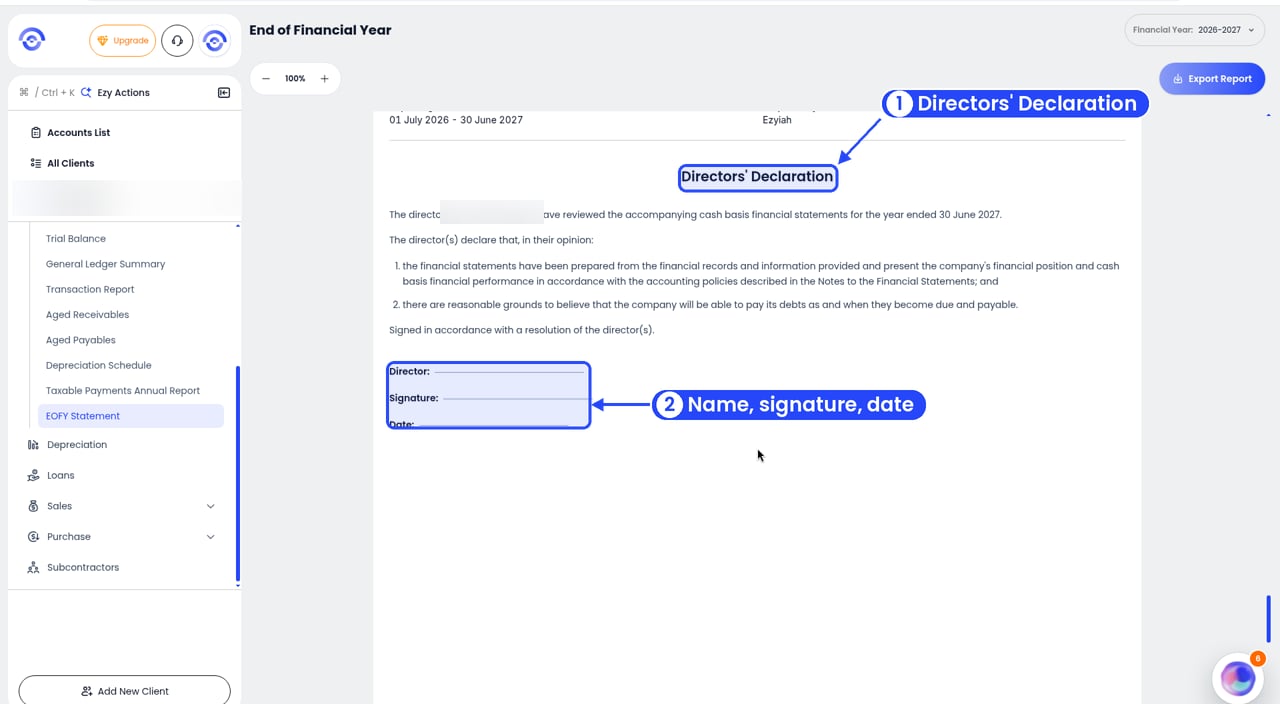
Directors' Declaration: the director signs and dates it
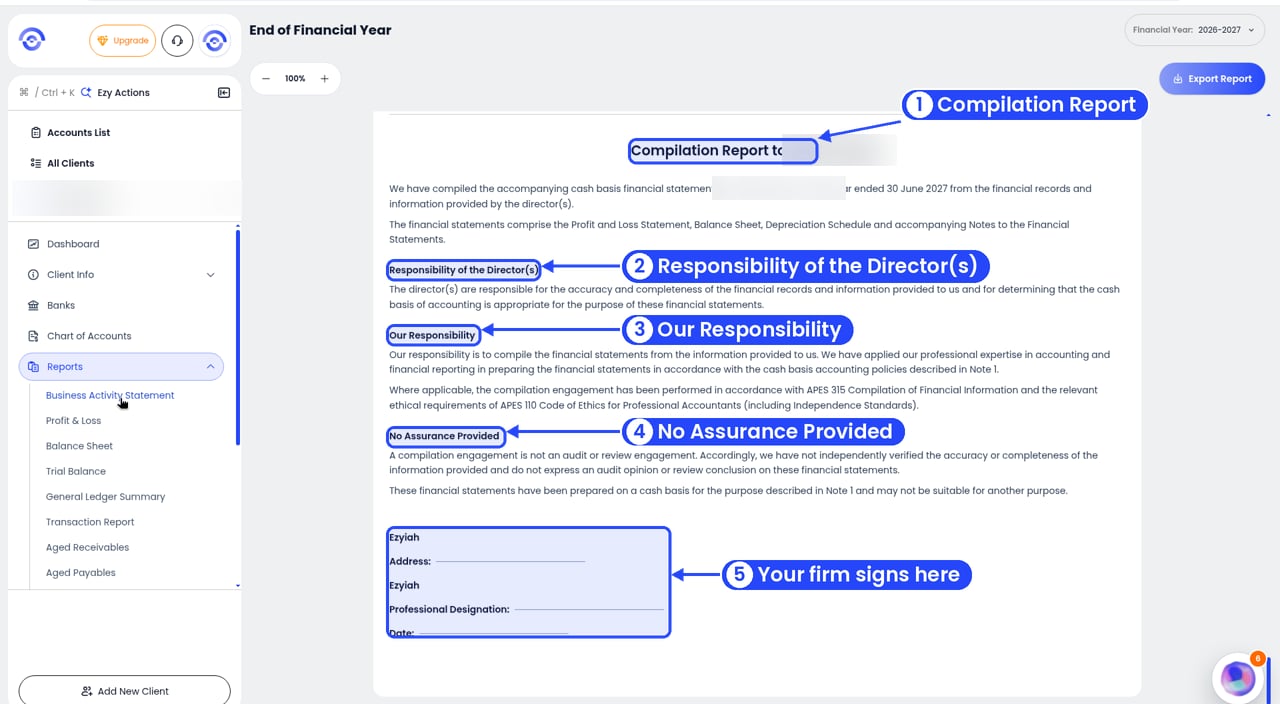
Compilation Report: your firm signs it
- Responsibility of the Director(s): the director(s) are responsible for the records and for choosing the cash basis.
- Our Responsibility: your firm compiled the statements under APES 315 and APES 110.
- No Assurance Provided: a compilation isn’t an audit or review.
Ezyiah prepares the statements. You review and sign them off before they go to the client.